


Localization Options Dialog
In the “Localization Options” dialog box you can select which parts of your project you want to translate into other languages.
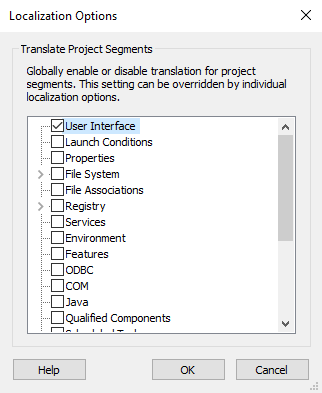
Translating every single localizable string is seldom necessary as many strings have language-independent values which should be used as such in all packages. This is why Advanced Installer allows you to specify which project parts you want to translate. You can do that at the high-level, for entire project segments or low level, for individual project elements.
Coarse granularity
At this level, you can select entire project segments to translate. Just click on the check-box next to it to switch the translation of a project segment on and off.
Fine granularity
Advanced Installer also allows you to specify the translation options for each localizable project element in the Localization Dialog. The fine granularity setting will take precedence over the coarse granularity option when deciding if a localizable element should be translated or not.
Topics
- Localization Dialog
The "Localization" dialog in Advanced Installer.