


ODBC page
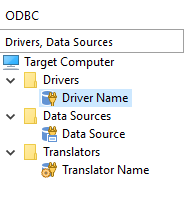
There are three ODBC components you can add in this page: drivers, data sources and translators. The user interface is composed from the tree control on the left side where all the drivers, data source and translators from the project will be displayed and from the currently selected element's properties which are displayed on the right side.
 The information presented in this article can be applied in a similar fashion to
ODBC page from Merge Module
Project.
The information presented in this article can be applied in a similar fashion to
ODBC page from Merge Module
Project.
Adding a driver
 Use the toolbar button, the “Add
Driver...” tree/list context menu item or press the + key while
the tree control is focused.
Use the toolbar button, the “Add
Driver...” tree/list context menu item or press the + key while
the tree control is focused.
 When adding a driver, please make sure it corresponds with the server architecture
it's designed for (x86 or x64). The driver's encoding must also be compatible with the
server (UNICODE or ANSI).
When adding a driver, please make sure it corresponds with the server architecture
it's designed for (x86 or x64). The driver's encoding must also be compatible with the
server (UNICODE or ANSI).
Creating a new data source
 Use the toolbar button, the “New
Data Source” tree context menu item or press the Insert key
while the tree control is focused.
Use the toolbar button, the “New
Data Source” tree context menu item or press the Insert key
while the tree control is focused.
Importing an existing data source
 Use the toolbar button or the
“Import Data Source” tree context menu item. You can import DSN files directly
or DSNs registered on your development machine, listed in the Import Data Source Dialog.
Use the toolbar button or the
“Import Data Source” tree context menu item. You can import DSN files directly
or DSNs registered on your development machine, listed in the Import Data Source Dialog.
Only the data source's name and attributes will be imported. You will need to set the
ODBC driver yourself.
Adding a translator
 Use the toolbar button, the
“Add Translator...” tree context menu item or press the *
key while the tree control is focused.
Use the toolbar button, the
“Add Translator...” tree context menu item or press the *
key while the tree control is focused.
Locating the attached component for a driver, data source or translator
Use the “Go To Component” tree context menu item or press the F8 key while an element from the tree control is selected. This command will activate the Organization page with the appropriate component selected in the left tree control.
Setting the Current Feature
Advanced Installer will create components for the added resources as necessary. These components will be added to the Current Feature. Use the drop-down list box in the toolbar to change the Current Feature.
 You can further manage the your package's organization in the Organization page.
 This feature is not available for Merge Module projects. For more details see the Merge Module Organization page.
Topics
- Driver Properties
Setting an ODBC Driver's properties in Advanced Installer. - Data Source Properties
Setting an ODBC Data Source's properties in Advanced Installer. - Import Data Source Dialog
Select ODBC Data Source's from your machine that you want to include in the setup package. - Translator Properties
Setting an ODBC Translator's properties in Advanced Installer.