Advanced Installer Highlights 2003 - Present
We are proud to present our application packaging resources, software features, and company events.

- MSIX Editor – detect missing resources in packages built with other tools
- UI editor for the built-in Licensing dialog
- ARM package option for Mixed Packages
- Security:
- Enforce matching digital signature for your update configuration files
- Hide/Embed your Auto-Updater settings inside the updater.exe stub file
- Updater.exe can ignore command-line calls with modified parameters
- PowerShell custom action scripts checked for tampering before execution
- Security validation framework with build log + Message Center notifications

Build and publish updates directly from your installer project. Host them on Advanced Installer's Updater Cloud — no server setup, no manual file management.
Bogdan Mitrache, VP of Product at Advanced Installer, and Annie Yan, Product Manager at Microsoft, walked through how compromised update channels happen and how to stop them.
- WinGet manifest generation
- Predefined launch conditions for Windows 11 25H2
- Advanced Installer Extension for Visual Studio 2026
- SBOM generation included in setup packages + SBOM Generator integration
- Suite Installers – bundle multiple applications into a single installation
- MSIX native desktop shortcut support
- MSIX AppInstaller UI customization
- MSIX Host Runtime Dependency Configuration via CLI and PowerShell
- MSIX Progressive Web App (PWA) Integration
- MSIX Custom Install Actions
- Editor for the Updater WinUI theme
- Automatic file formatting for EULA content with dark themes
One place to track every MSIX feature and improvement shipping from Advanced Installer. Bookmark it.
We demonstrated MSIX packaging workflows and how the MSIX Editor handles PSF fixups for older applications.
Edit and fix MSIX packages from any tool.
Enterprise users get full MSIX Editor access starting at version 23.0.
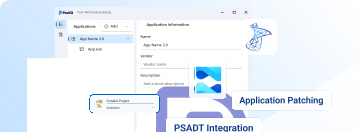
Active Architect subscribers get PacKit Plus at no cost for a year. Manage, patch, and deploy applications from a single place.

For over 20 years, users have been recommending Advanced Installer—and we truly appreciate it. So we've made it official — and added a way to say thank you.

We presented our newest product, PacKit, and connected with IT professionals at Workplace Ninjas. This marked our first time participating in the event, and it was a great opportunity to share our latest developments.
- Windows features bundle support for Windows Server 2025
- Predefined launch condition for Windows Server 2025
- Create a nested context menu for File Associations from an MSI, using Sparse Packages
- Nested Context Menu for MSIX Packages on Windows 10
- Redesigned CustomActions View using WinUI
- Predefined custom action to copy the Current User registry values to all users during installation
- New WinUI theme for the Auto-Updater
- Gallery with ready-to-use sample projects and tutorials
- Nested Context Menus for File Associations in MSIX
- WinUI 2.x support in Embedded UI
- Azure Trusted Signing support in Visual Studio Extension
- PowerShell support for Trusted Signing
- Digitally sign your files using Azure Trusted Signing
- Custom context menu for file associations installed via MSIX
- Introducing MSIX External Application Shortcuts

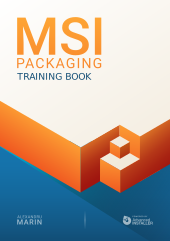
A free certification built around a 40-question exam. Paired with step-by-step video tutorials covering real-world MSIX scenarios, guided by expert Alex Marin.

You got a look at PacKit in action and saw how it bridges the gap between application packaging and deployment.

You can manage, patch, and deploy applications all from one platform. Configure packages, deploy via Intune or MECM, and manage updates — automated patching is coming soon.
- New App Installer theme
- Sparse Package Bundle with MSI
- Predefined support to downgrade setups
- Request Assistance via the Help menu
- Capture screenshots during repackaging in a PDF or HTML file, automatically
- MSIX Context Menu - automatically synced with your File Associations options
- CLI command for setting the cache folder - SetCacheFolder
- CLI commands for configure and failure service operations
- Extending the Windows 11 context menu to per-machine and per-user installations
WinUI is the New Default
Experience a seamless and visually stunning interface, combining modern aesthetics with enhanced performance powered by the cutting-edge WinUI technology.

We proudly showcased our newest features and connected with developers and IT pros at CloudFest, marking our first-ever participation in the event.
Experience the benefits of concurrent licensing, centralized management, and seamless collaboration, enabling your organization to streamline software packaging and deployment processes efficiently.
 March, 2022
We make a daring step towards the democratization of software packaging developing and making available extensive materials to help packagers deliver the best installer…
 September, 2021
- Automatic Folder Redirection Fixups for MSIX package resources
- Installer UI Modernization with WinUI Rendering
- Support for running and testing an installation in a Docker container
- Windows 11
- Digital signature: EV Code Signing Certificate (eToken)
- Extension for Visual Studio 2022
- Repackager support for Docker containers
- .NET Core deployment via our Visual Studio Extension
An overview of the industry and an introduction to how MSIX is more than just a modern packaging experience.
 November, 2020
- Smart PSF
- Digital signing using Microsoft Device Guard Signing Service (DGSS) v2
- Azure Key Vault digital signing support
- MSIX Package Manifest Editor
- MSIX Package Editor
- Running PowerShell scripts in MSIX
- Create virtual machines for vSphere
- Automation via PowerShell
- New streamlined Repackager workflow, for simpler and faster packaging
- Extension for Visual Studio 2019
- Repackaging on shared VMware workstations
- Package Support Framework (PSF) integration for MSIX packages
- Deploy packages to Microsoft Intune
- Create MSIX installers
- VMware vSphere integration
- Support for Visual Studio Team Services (VSTS)
- Repackaging on remote Hyper-V VMs
- Repackager Assistant
- Extension for Visual Studio 2017
- Create AppX packages for Windows 10 UWP apps
- Win32 to UWP App Converter
- App-V 5.1 support
- Extension for Visual Studio 2015
- Installer Analytics
- App-V 5.0 package editor
- Run & Test packages in VMs
- Publish web apps to Azure
- Team Foundation Server (TFS) integration
- Repackaging applications in Hyper-V VMs
- Deploying setup packages to SCCM
- Extension for Visual Studio 2013
- Windows 8.1 support
- Windows Features configuration support
- Support for AppV 5.0
- Support controlling VM instances from Repackager
- Dictionary editor
- Windows Server 2012 support
- Windows 8 support
- ThinApp Virtualization support
- AES encryption for installers
- SharePoint support
- Visual Studio integration
- Office native add-in support
- Office native add-in support
- App-V support
- Support for installing Microsoft Office add-ins
- Direct MSI Table Editor
- Support for ActiveSync installations
- Windows Mobile/CE support
- Enhanced installation user interface
- Licensing module: trials and registration support for installers
- Windows Games Explorer integration
- Gallery of builtin prerequisites
- SQL Server browser & connector
- Project templates
- Hybrid 32/64-bit installers
- Windows Firewall configuration
- Updating XML files
- Installing Control Panel Applets
- Advanced Repackager
- CD/DVD AutoRun support
- Windows Vista support
- Database servers configuration and SQL script deployment
- LZMA compression for installation files
- Dialog Editor Repository
- .NET Custom Actions
- Package UI Dialog Editor
- Merge modules authoring
- Driver installation support using DIFx
- Multi-language MSI packages
- IIS configuration support
- Auto Updater
- COM, COM+ and DCOM registration
- Configurable Merge Modules
- Localization: creating MSI packages in other languages
- Authoring Windows Installer patches
- 64-bit packages support
- INI files configuration updates
- Support for command-line editing projects
- Authenticode digital signature support
- Support for Synchronized Folders
- Download and install prerequisite applications
- Features and Components support
- ODBC Driver, Data Source and Translator support
- Built-in user registration with serial code validation
- Configuration of Windows services
- EXE bootstrapper
- Custom Actions support
Eight updates during the first year setting a cadence of roughly one update per month for the rest of the product
Catalin Rotaru forms a team of developers and starts the coding of what became a leader in packaging industry serving over 30.000 professionals.