


I'm very new to Advanced Installer or to packaging software industry.
Please help me with this problem.
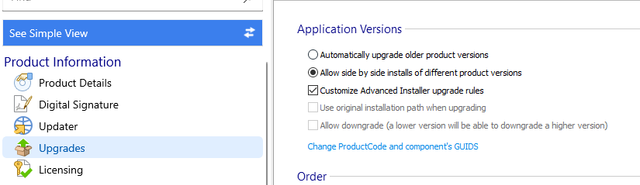
I know that we can install different version of the software in 1 location by choosing the option below.
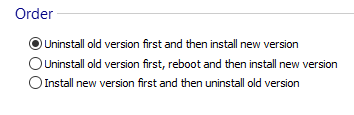
Also, I choose the option "Uninstall old version first and then install new version" .
For example, I have 3 installers from with 3 different version 1, 2 and 3.
Version 3 is the latest version.
They all installed in the same location C:\temp.
Version 1 is fresh program for new system.
I want version 2 to update all files in version 1.
Later on, version 3 will update all files in version 2.
I want to keep version 1 and 2 as backups.
When I uninstall version 3, it will downgrade to version 2 and able to use.
and if I also uninstall version 2, it will return to version 1 to use.
If there is version 4, it will update current version and remove the oldest one (version 1)
Because I know that when I uninstall version 3, it will remove everything.
More than that, when I downgrade a version, it also update software version inside Programs and Features.
Is there anyway I can do this with Advanced Installer?
Best regards
Kevin Tran


FOLLOW US
Get the latest news in Application Packaging