Hello,
As a followup to my last response:
After further investigations, I think I may have found another way in which this can be achieved. However, unfortunately, this requires a newer version of Advanced Installer to make it work.
The solution is a custom one (using a custom action). Basically, a launch condition spawns a message box and fails the installer if a condition is evaluated as true.
We can replicate such a behavior using the
"ErrorMessage" custom action. This custom action enables the stopping of the installation process if some condition is satisfied or not. An error message will be displayed to let the user know what happened.
Unfortunately, this is not possible in older versions of Advanced Installer, as the bootstrapper dialogs were not editable:
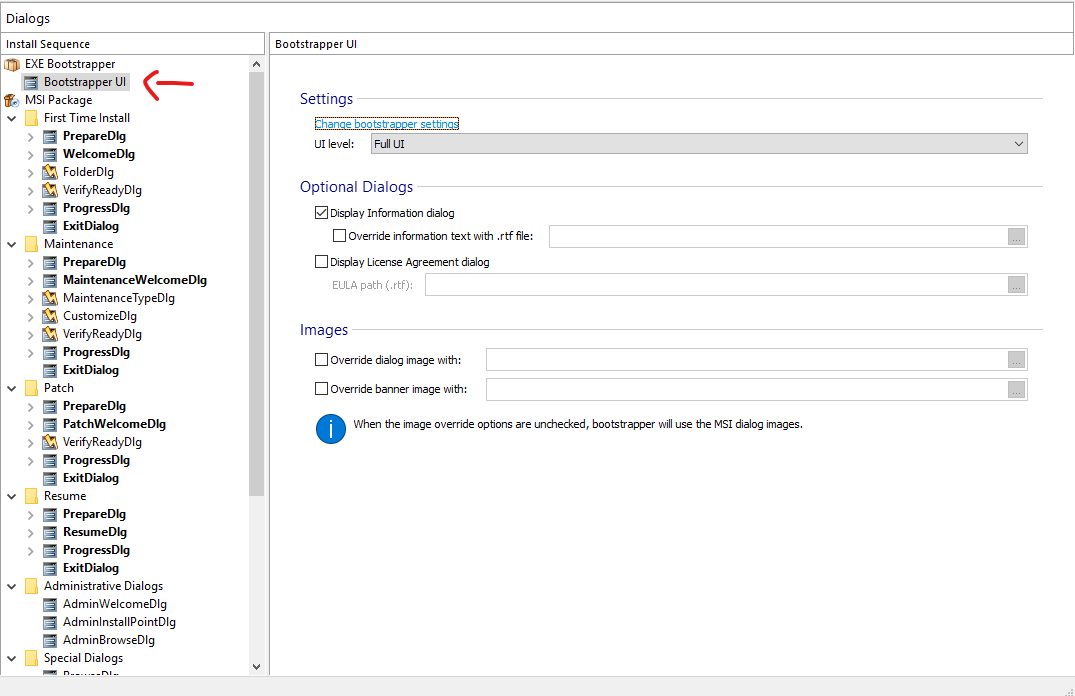
- old.png (65.7 KiB) Viewed 7061 times
as opposed to the newer versions, where this is possible:
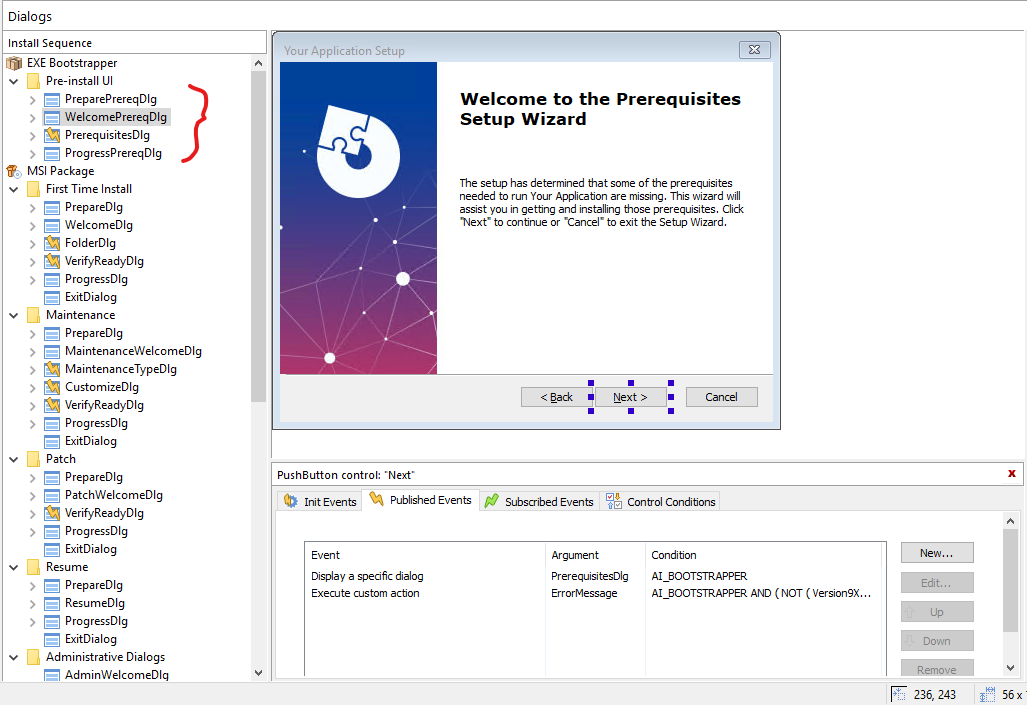
- new.png (129.36 KiB) Viewed 7061 times
Here is how you can achieve what you want using the method I've proposed above:
- first of all, you need to define the conditions in the
"Launch Conditions" page
- now please go to
"Table Editor" page -->
"Launch Conditions" table and copy the generated condition (the condition is generated when you specify different settings in the
"Launch Conditions" page)
- now please go to
"Custom Actions" page and add an
"ErrorMessage" custom action, without sequence (so we can trigger it from a dialog event - more specifically from a control that is part of the boostrapper dialogs). Configure the custom action message as you desire.
- now please go to
"Dialogs" page and select the
"WelcomePrereqDlg" dialog. Select the
"Next" button and under
"Published Events", please add an event as it follows:
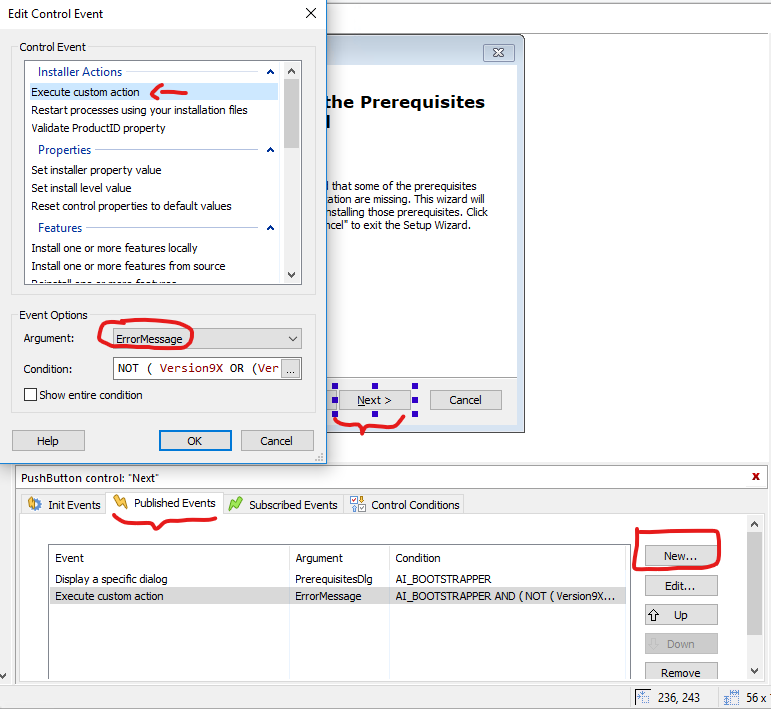
- ca.png (54.14 KiB) Viewed 7061 times
- in the
"Condition" field, please use the condition you have earlier copied, but negated:
Now, when the dialogs are spawned, when the user will press the "Next" button, the custom action will be executed and your desired message will be spawned.
Hope this helps somehow.
Best regards,
Catalin


FOLLOW US
Get the latest news in Application Packaging