Hello,
The module "Sharpline.SL24.ToolingAddIn.dll" was loaded but the entry-point DllRegisterServer was not found.
Make sure that "Sharpline.SL24.ToolingAddIn.dll" is a valid DLL or OCX file and then try again.
At a first glance, it seems like your DLL does not contain the
DllRegisterServer() and
DllUnRegisterServer() methods.
From what I know,
regsvr32.exe calls that method in order to register a DLL file.
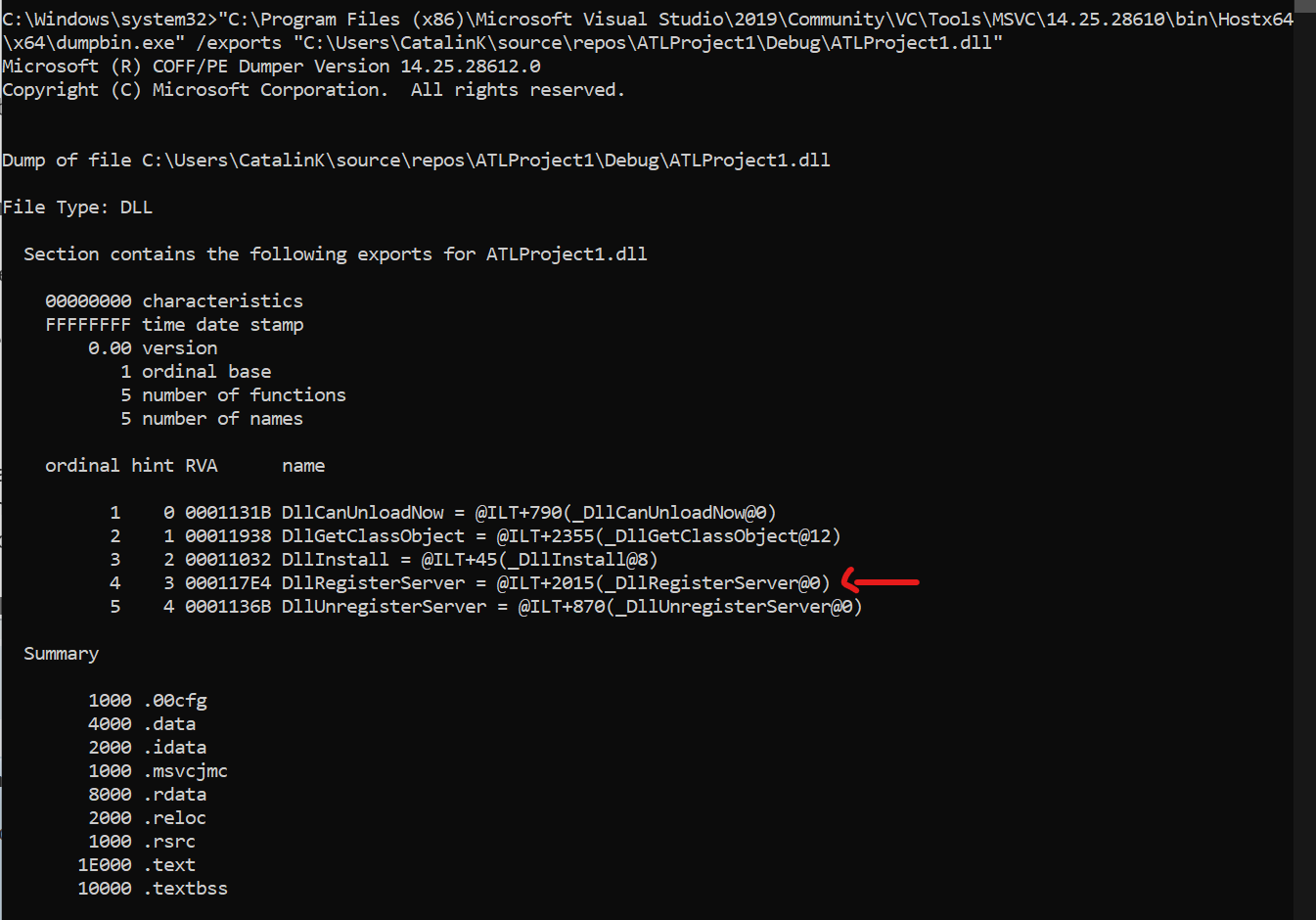
You can check if your DLL file contains this method by using the
dumpbin.exe tool. This tool comes with Visual Studio and can be found in the following locations:

- dumpbin.png (35.44 KiB) Viewed 11992 times
You can use a command line such as:
to see if your DLL file contains the method:
- dumpbinExports.png (76.46 KiB) Viewed 11992 times
However, since you have mentioned the
"Assembly Information" which, from what I know, is specific to .NET Framework, and also the
"Register .NET assembly for COM interoperability" option, I am assuming that your DLL is a .NET DLL.
Please note that, in this case, the
RegAsm.exe tool should be used, not the regsvr32.exe tool.
When using the
"Register .NET Assembly for COM interoperability" option, we use the
RegAsm.exe tool.
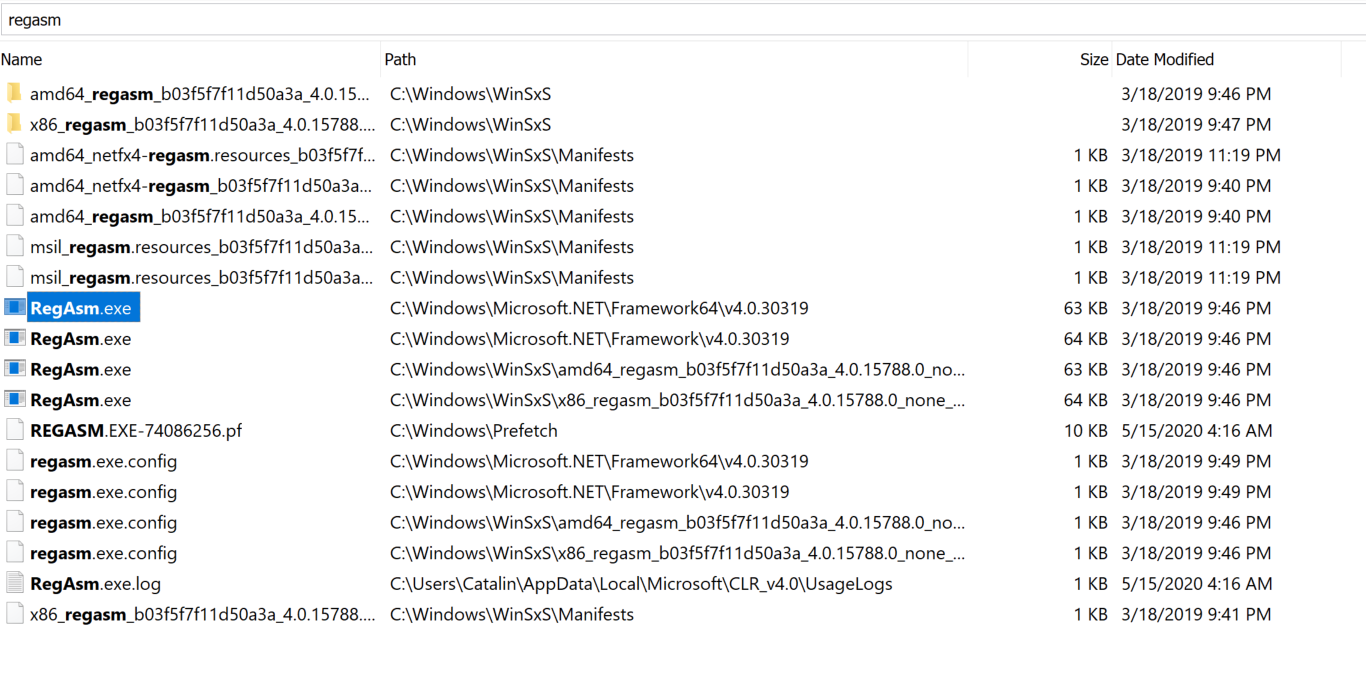
The RegAsm.exe tool comes by default with the .NET Framework and it can be found in the following location(s):
- RegAsm.png (398 KiB) Viewed 11992 times
With this in mind, I am not quite sure that trying to register your DLL file using the regsvr32.exe tool is the correct approach.
Could you please try to register it using the RegAsm.exe tool instead and let me know the outcome?
Additionally, since you have said you are not quite familiar with the registries and where to check whether a COM was registered or not, here is a little trick - when a COM is registered, it registers in the registry in locations defined by the system (you can say these are predefined locations). You can check these locations by running a command line as it follows:

- RegAsmCmd.png (29.99 KiB) Viewed 11992 times
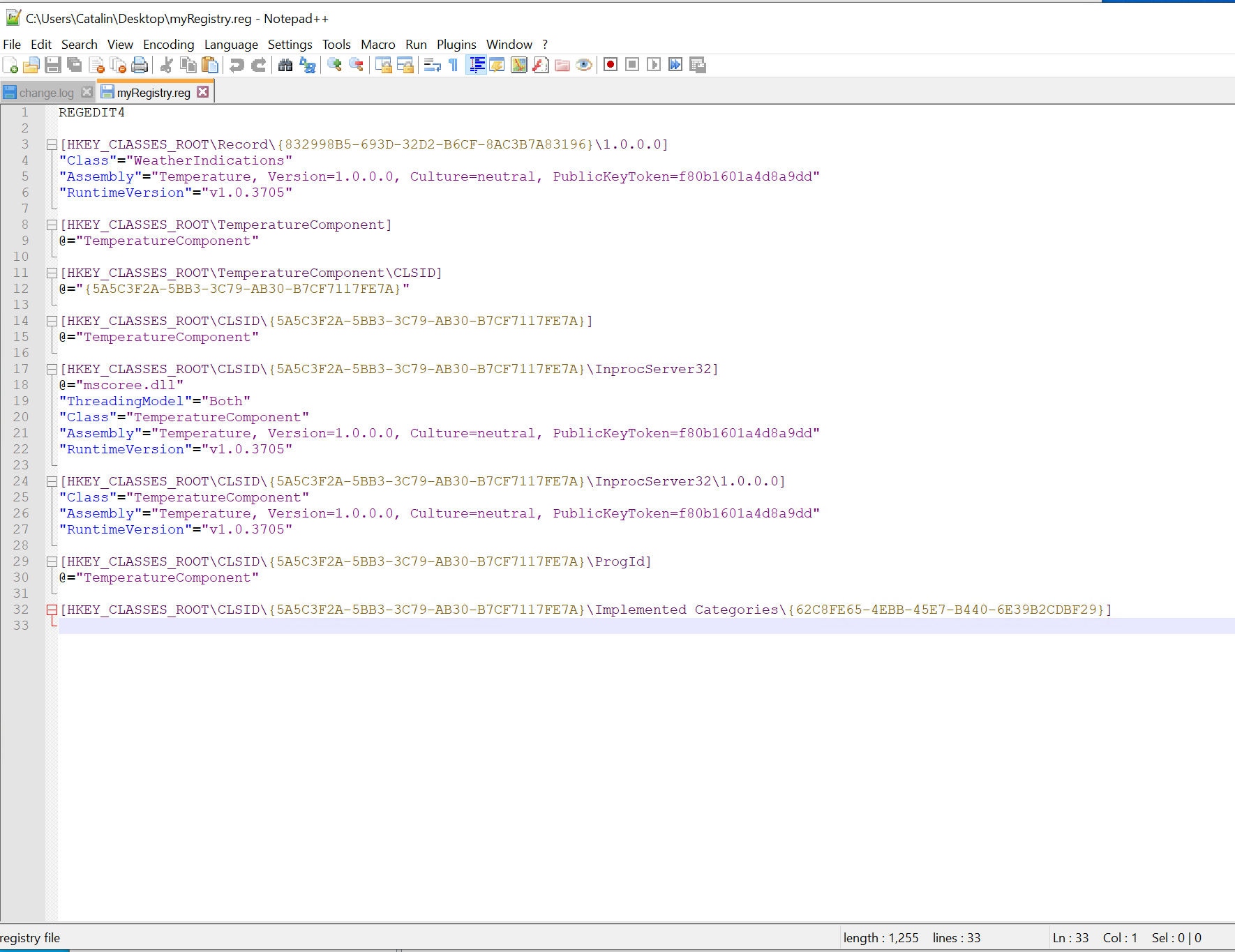
The above command generates the file
myRegistry.reg, which contains all the necessary registry entries. This command
does not update the registry.
After doing so, if you open the file using a text editor (e.g. Notepad++), you can see the registry entries that are about to be updated:
- Registry.png (193.72 KiB) Viewed 11992 times
Hope this helps.
Best regards,
Catalin


FOLLOW US
Get the latest news in Application Packaging