Package Identity Name vs. Display Name for MSIX Installers
With MSIX, it is logical to assume that the name of an application the user sees is the same name that Windows uses to identify the package.
In practice, these are two very different concepts, and it’s important for developers, packagers, IT professionals, and anyone managing Windows applications at scale to understand the difference.
Using the wrong value in the wrong context can lead to deployment problems, broken updates, or confusing user experiences.
TL;DR: 

The Package Identity Name is a stable, immutable technical identifier that you can use in scripts and updates for MSIX packaging. In contrast, the Display Name is a flexible, localized branding label for the UI only.
Package Identity Name
Package identity gives Windows a stable and unambiguous way to identify an MSIX package. It is not intended to be user-friendly or to make much sense to end users.
Instead, it gives Windows and management tools with the information they need to differentiate one package from another.
An MSIX package identity includes values such as the package name, publisher, version, and processor architecture. These values are defined in the package manifest and are used by Windows when installing, updating, managing, and servicing the application.
If you use MSIX Packaging Tool, you can find the package name, publisher, and version on the “Package Information” page:
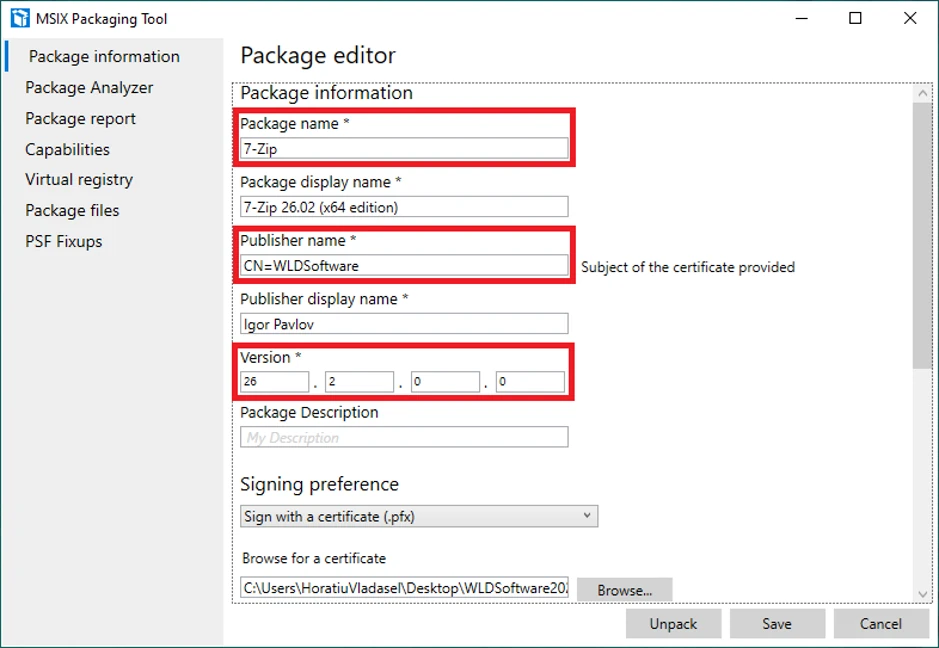
Alternatively, you can open the manifest file and look for the “Identity” element:

If you use Advanced Installer, the process is similar:
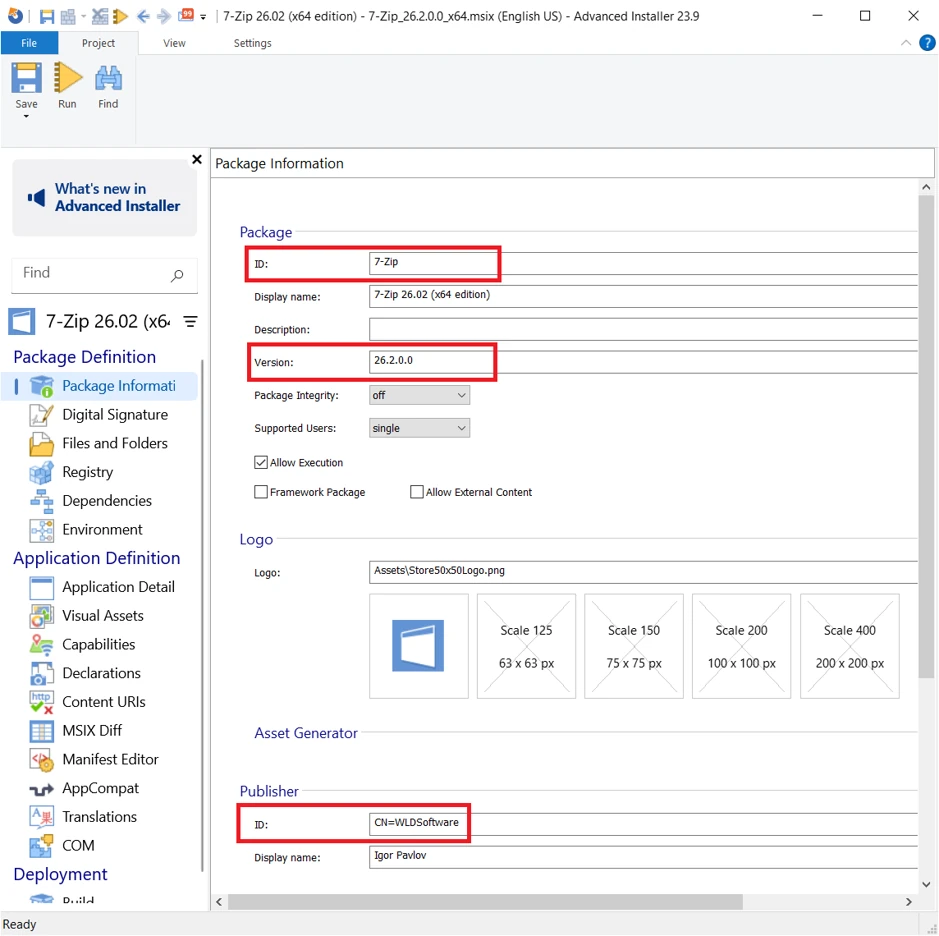
A very important point here is that package identity must be stable across servicing operations and dependency resolution. By changing identity information, Windows treats a package as a different package, not an updated version of the existing one.
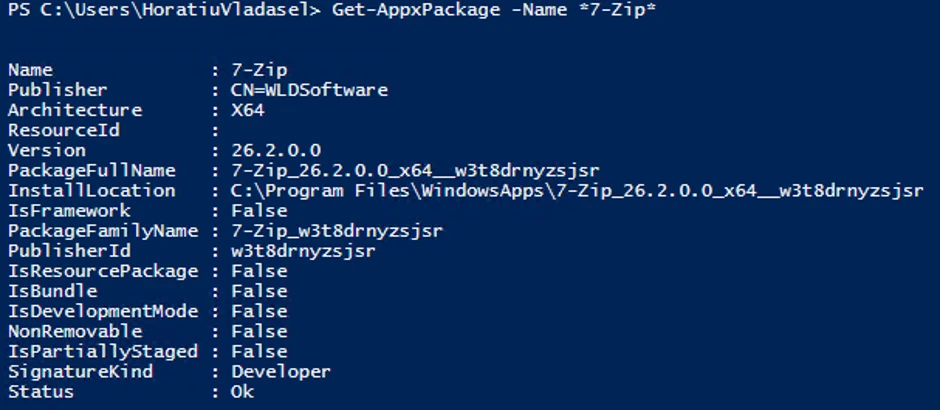
And this is what you get when you run the Get-AppxPackage cmdlet on a machine where your MSIX package is installed:
Display Name
It is a common mistake to treat the display name as if it were a unique technical identifier. Display names can change. They can also be localized.
A product might be called one thing in English and something else in German, French, or Japanese. You can change a display name for branding, marketing, or usability purposes.
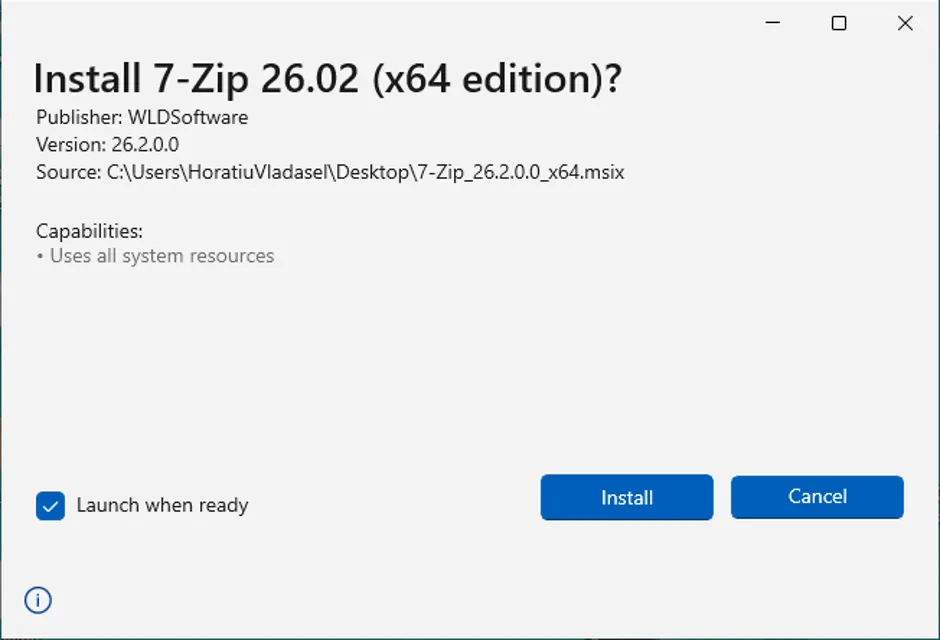
That flexibility means that DisplayName is not a reliable identifier for a package in scripts, deployment systems, or application logic.
Package identity, on the other hand, exists specifically to give that stable identity.
Conclusion
Regardless of which packaging solution you’re using (MSIX Packaging Tool, Advanced Installer, or other packaging solution), understanding how these values work together is an important part of building robust and manageable MSIX applications.
You should generally treat Package Identity as a stable technical identifier and DisplayName as a presentation and branding value.
Do not use DisplayName in deployment scripts, application logic, or management processes where a consistent package reference is needed.
Written by

Horatiu Vladasel
Horatiu is a Software Packager/Sequencer with over 10 years experience, who has worked as a Software Packager at IBM and is currently offering software packaging services to companies such as BT or Nationwide.