Open Package Manifest directly from Advanced Installer
As an application packager, once you are done with your installer, it’s time for deployment, which is usually done via Intune, SCCM, or other configuration management tools.
You’ll need to install commands, detection rules, requirements, assignments, and other deployment settings. In some enterprise environments, deployments are handled by a separate team.
A packager would create a separate file, fill it up with information, and then pass it to the team.
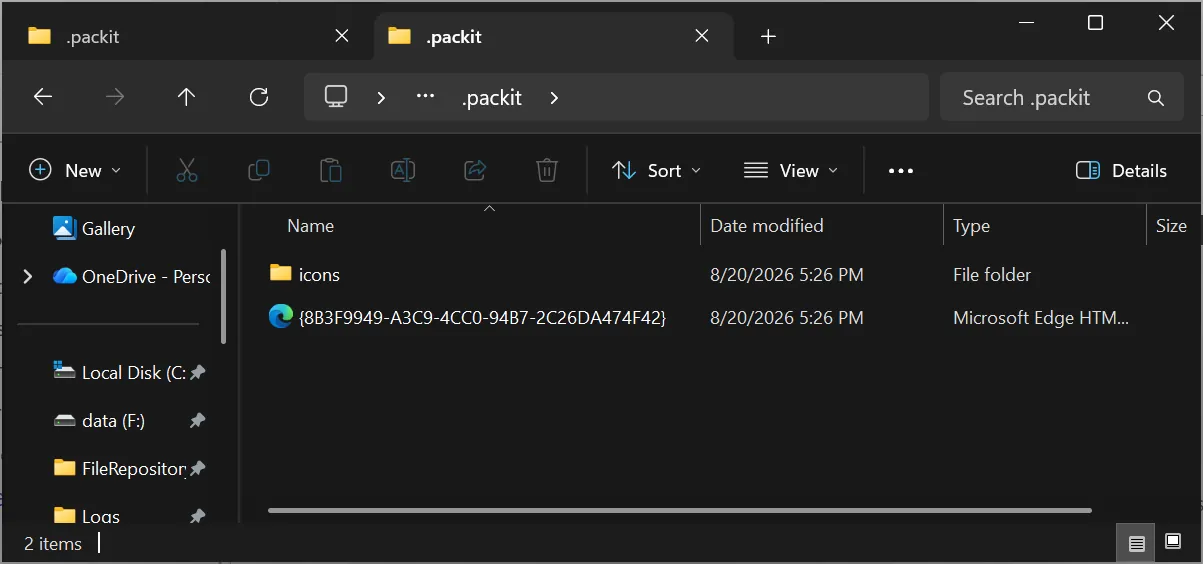
With PacKit 3.0, we introduced OPM (Open Package Manifest), which is a free, open-format .xml file that contains all the deployment information. The .xml file is located in the .packit folder, alongside the installer.
Starting with Advanced Installer 24.0, PacKit is integrated as the deployment hub, helping with the logical next step in the packaging process.
Once you are done with your installer, go to Package Definition / Deployment and click on Launch PacKit to start deployment.
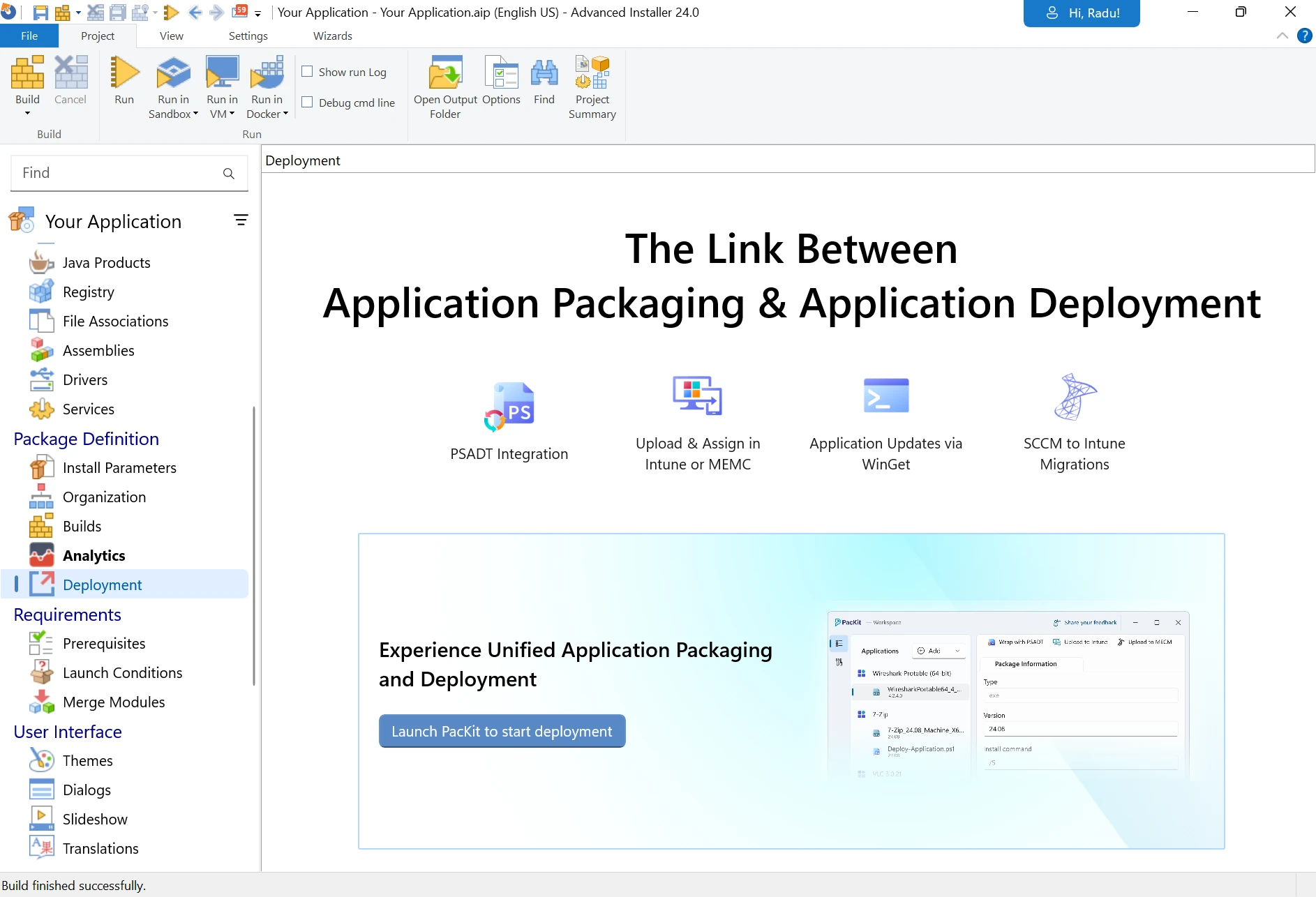
This will fire up PacKit. From here, add your newly created installer and all the deployment information using the GUI.
The .packit folder will be generated, and inside you will find the OPM .xml file, as shown in the beginning.
 If you’re an Architect user, you get 1 year of PacKit Plus at no extra cost. For more details or to obtain your license, please contact our support team.
This webinar introduces PacKit’s Open Package Manifest, including a demonstration of the free PowerShell module (MIT licensed and available on GitHub), and shows how the manifest works end-to-end with Microsoft Intune, SCCM/MECM, PSADT, and WinGet:
Let us know if you have any questions!
Download Advanced Installer 24.0 to unlock new features, such as:
- AI-integrated Assistant
- WinGet Prerequisites
- Updater Cloud - full hosting for configuration files and setup packages
- SSO - log in with your Microsoft or GitHub account
- New predefined custom action: Copy MSI log to a user-friendly location
- Automatic AIP Backup Before Overwrite
Subscribe to Our Newsletter
Sign up for free and be the first to receive the latest news, videos, exclusive How-Tos, and guides from Advanced Installer.