WinGet Prerequisites in Advanced Installer
Starting with Advanced Installer version 24.0, you can include prerequisites in your installer directly from the WinGet repository.
Although Advanced Installer currently has its own extensive predefined prerequisites library, these are focused on runtimes, frameworks, and other Microsoft products. If your application depends on other applications, getting the prerequisites from the WinGet repository saves you a lot of time when creating your installer.
See how easy it is to add the WinGet prerequisite in Advanced Installer.
 Important! This feature is available starting with the Enterprise Edition.
From your Advanced Installer project, go to the Requirements / Prerequisites Page. From the top toolbar, click on New WinGet Package.

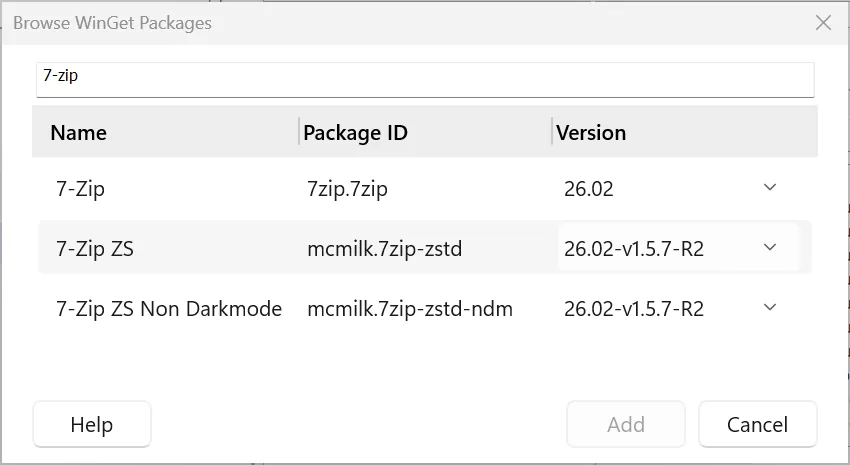
Simply type the name of the application required as a prerequisite in the Search package field, and the list will be populated. Click on the desired application name and click Add.
Once the prerequisite is added, you can see it listed under Main Packages.
If you go to the Installation tab, you will see all the install command lines populated. This information is automatically pulled from the WinGet repository.
As with any other Advanced Installer prerequisite, you can also set up install conditions from the Conditions tab.
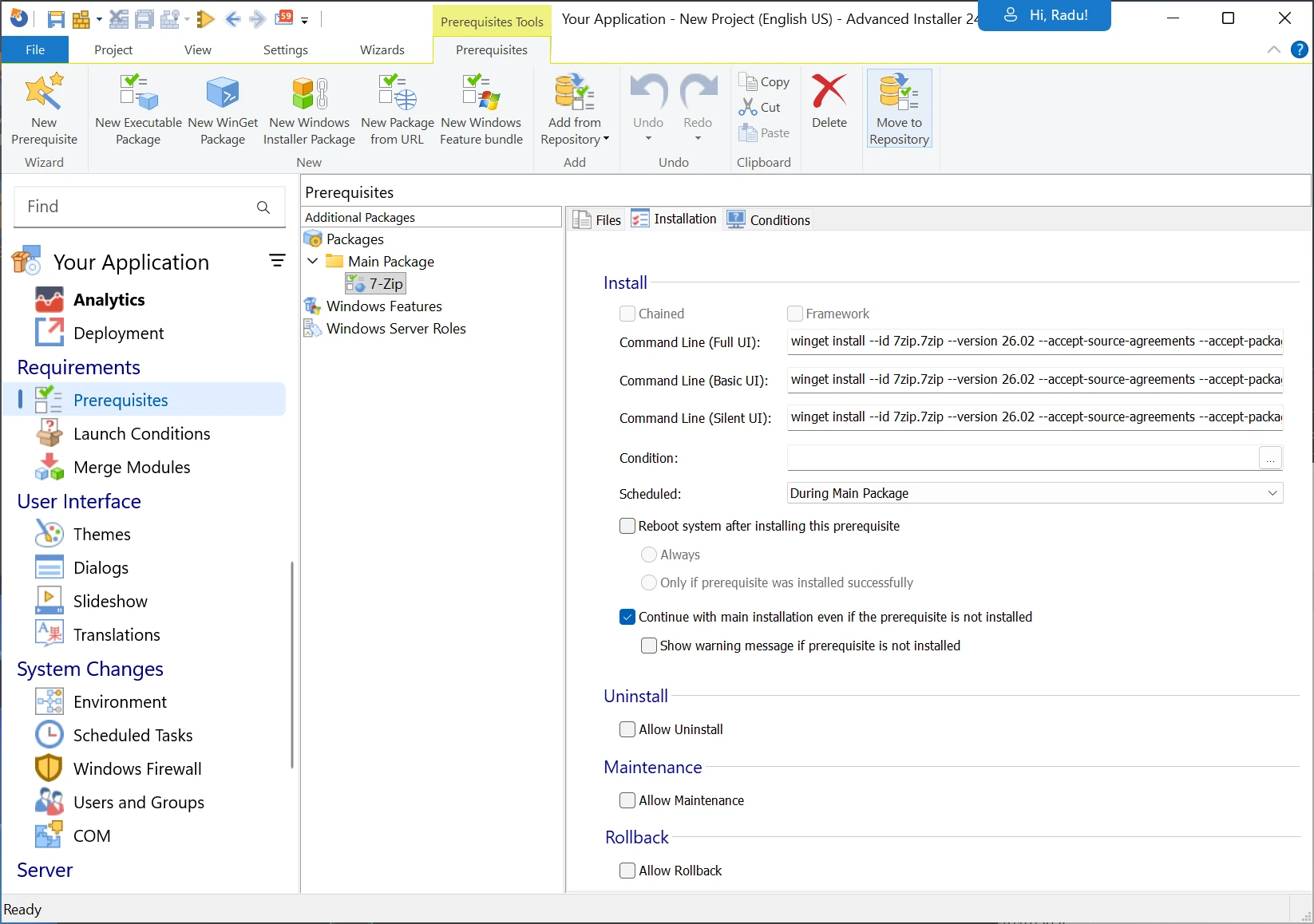
Since it is a WinGet prerequisite, there will be no local file download needed. During the main application installation, the wizard calls the WinGet repository and executes the install command shown above. Of course, this implies that an internet connection is required.
Let me know if you have any questions in the comments below!
 Download Advanced Installer 24.0 to unlock new features, such as:
- AI-integrated Assistant
- WinGet Prerequisites
- Updater Cloud - full hosting for configuration files and setup packages
- SSO - log in with your Microsoft or GitHub account
- New predefined custom action: Copy MSI log to a user-friendly location
- Automatic AIP Backup Before Overwrite
Subscribe to Our Newsletter
Sign up for free and be the first to receive the latest news, videos, exclusive How-Tos, and guides from Advanced Installer.