How to Fix the VCRUNTIME140.dll Missing Error in MSI, EXE, and MSIX Packages
You have finished developing your application and packaged it, and everything works perfectly on your development machine.
But when you install it on a clean Windows machine, you get the following error:
"The code execution cannot proceed because VCRUNTIME140.dll was not found. Reinstalling the program may fix this problem."
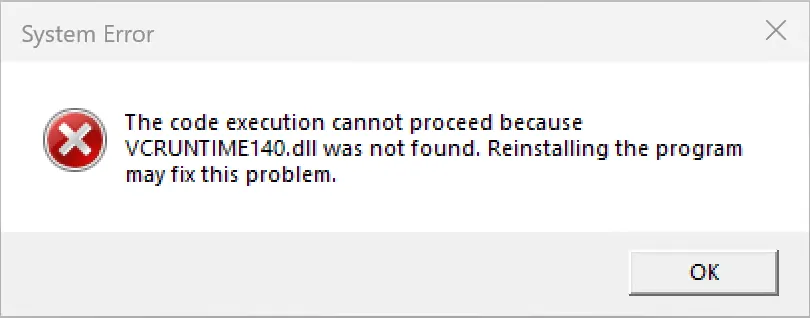
This is a common issue caused by a missing Microsoft Visual C++ Runtime dependency.
The tricky part is that you might never encounter this problem during development because Visual Studio, other development tools, or previously installed applications may have already installed the required runtime.
Let's see how to resolve this issue with Advanced Installer, whether you're building an MSI, EXE, or MSIX package.
Fixing the VCRUNTIME140.dll Error in MSI and EXE Packages
For traditional MSI and EXE installations, the solution is straightforward: include the required Microsoft Visual C++ Redistributable as a prerequisite.
In Advanced Installer:
- Open your installation project.
- Navigate to the Prerequisites view.
- Search for C++ in the Predefined Prerequisites list.
- Select the appropriate Visual C++ Redistributable for Visual Studio 2015–2022 prerequisite, matching your application's architecture and runtime requirements.
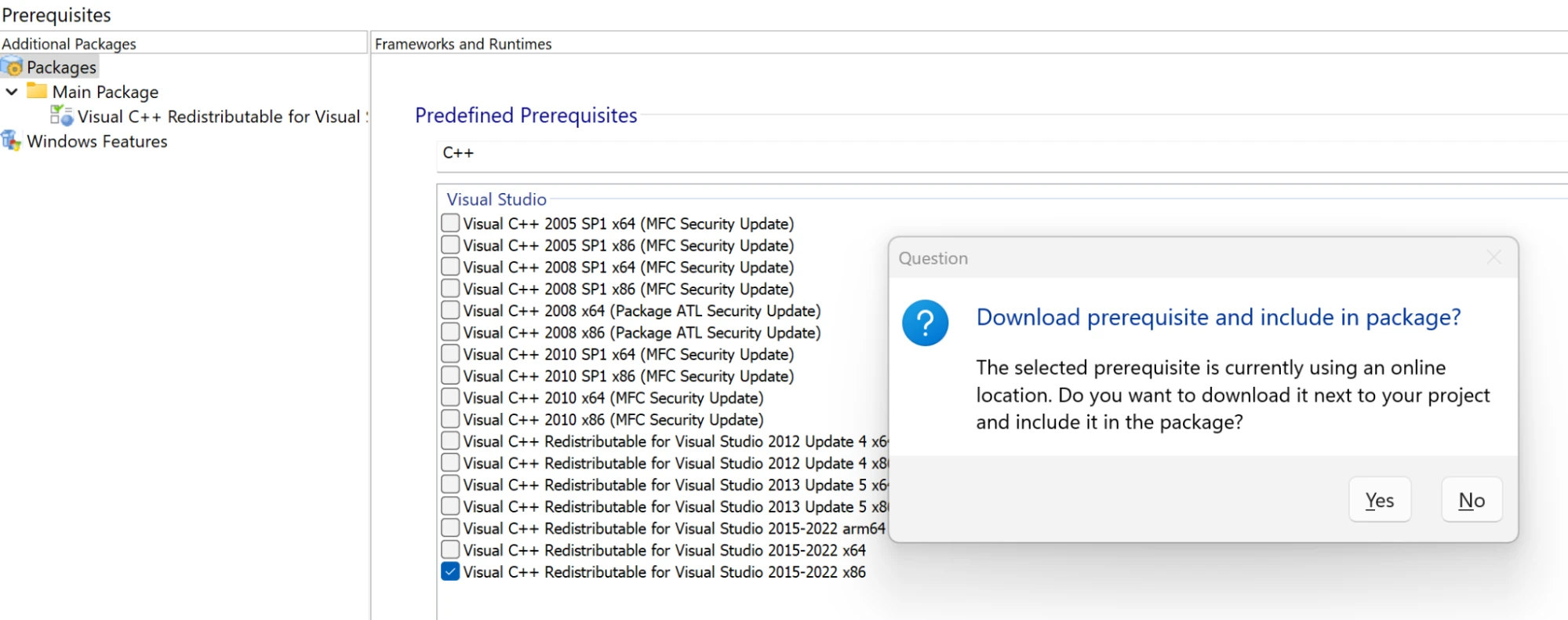
When prompted, Advanced Installer allows you to choose whether to download the prerequisite and include it alongside your installation files.
- No: The prerequisite is referenced from its online location and downloaded when required. This keeps the installation package smaller but requires an internet connection if the runtime is missing.
- Yes: The prerequisite installer is downloaded and included with your installation files, allowing it to be installed in offline environments.
Choose the option that best fits your deployment scenario.
Rebuild your project, and Advanced Installer will handle the prerequisite installation according to its configured conditions.
That's it for MSI and EXE packages!
What If Your Application Is Packaged as MSIX?
MSIX handles runtime dependencies differently.
Unlike traditional MSI/EXE installers, MSIX applications can declare dependencies on framework packages directly in the application manifest.
Here's something interesting: having VCLibs installed on the machine does not automatically mean its DLLs are available to your MSIX application.
For a packaged desktop application to access DLLs supplied by a framework package, that framework must be part of the application's package dependency graph.
This is established through the PackageDependency element in the MSIX manifest.
How to Check Whether VCLibs Is Installed
Open PowerShell and execute:
Get-AppxPackage -AllUsers *VCLibs* |
Select-Object Name, Version, Architecture, PackageFullNameThis command lists installed VCLibs framework packages, including their versions and processor architectures.
During our testing, the machine already had several VCLibs packages installed. Despite these frameworks being present, the packaged application still failed to launch with the VCRUNTIME140.dll error.
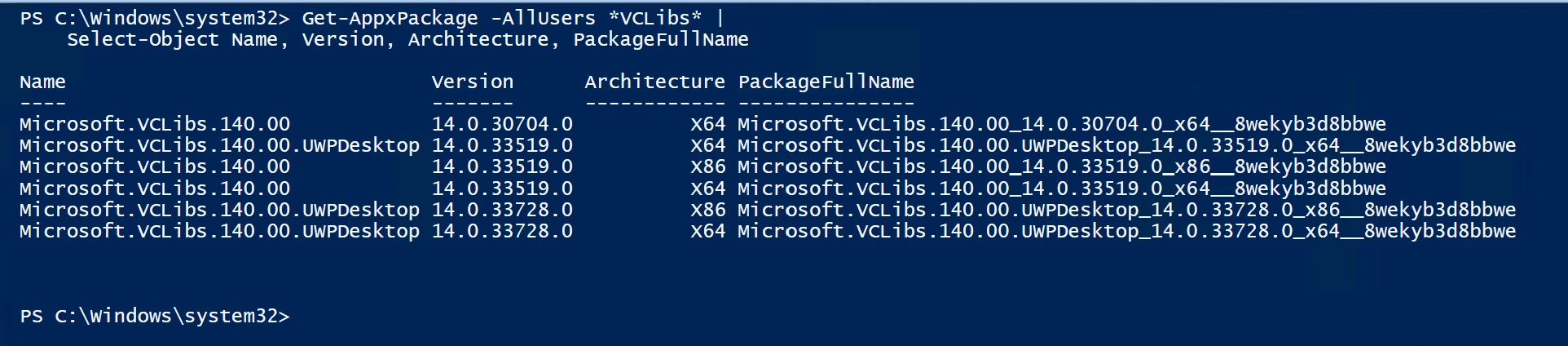
The issue was resolved by declaring the correct framework dependency in the MSIX manifest.
Adding the VCLibs Package Dependency in Advanced Installer
Fortunately, Advanced Installer already includes predefined MSIX framework dependencies, so you don't need to manually edit the application manifest.
To configure the dependency:
- Open your MSIX project in Advanced Installer.
- Navigate to Dependencies -> Package Dependencies.
- Locate the Microsoft Visual C++ Runtime (VCLibs) section under Predefined Dependencies.
- Select Microsoft VCLibs 14.0 (VS 2015+).
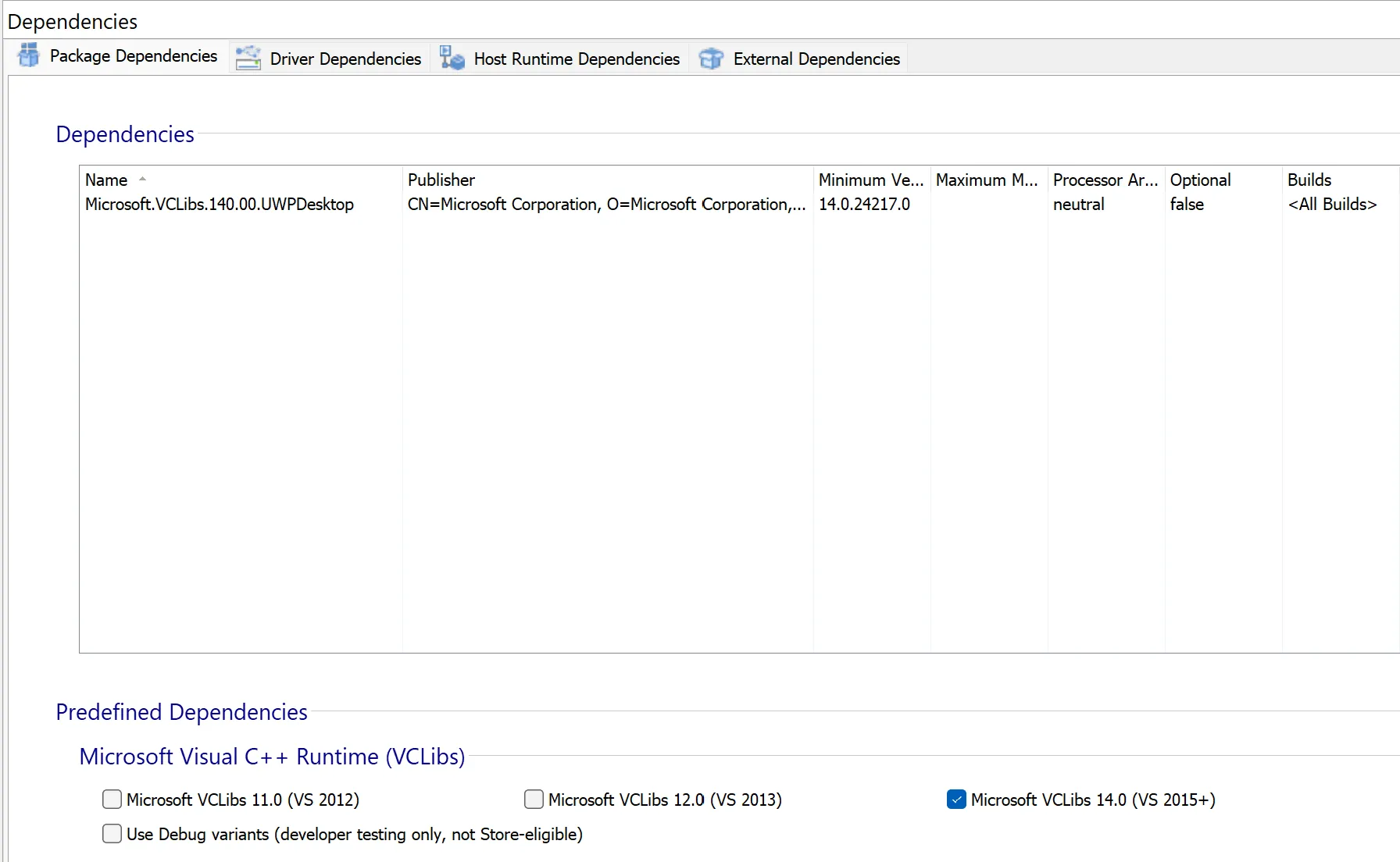
The exact minimum version depends on your configuration and the runtime requirements.
This declaration tells Windows that your application depends on the specified VCLibs framework package and makes the framework available.
After adding the dependency, rebuild the MSIX package and test the application again.
In our case, the application launched successfully after the dependency was added, without requiring any modifications to the application itself.
Microsoft Store vs. Manual MSIX Installation
There is one important distinction to keep in mind when distributing your MSIX package.
Microsoft Store distribution
When your application is published through the Microsoft Store, declared framework dependencies available through the Store can be automatically downloaded and installed along with your application.
Manual MSIX sideloading
When distributing the MSIX package outside the Microsoft Store, you may need to provide the required framework packages separately if they are not already installed.
For example, you can distribute dependencies using an .appinstaller file or install the framework package before deploying your application.
The MSIX manifest declaration establishes the dependency, but it does not guarantee that a manually installed package will automatically download missing frameworks.
For MSIX applications, declaring an external Visual C++ Redistributable dependency is not equivalent to declaring the VCLibs framework package dependency.
Make sure you select the appropriate mechanism for your application and deployment scenario.
Quick recap: VCRedist vs. VCLibs: What's the Difference?
Although both provide Visual C++ runtime components, they serve different deployment scenarios.
Microsoft.VCRedist.140 | Microsoft.VCLibs.140.00.UWPDesktop |
|---|---|
Traditional Visual C++ Redistributable | MSIX framework package |
Typically deployed using a redistributable installer | Referenced through an MSIX package dependency |
Commonly used by traditional desktop applications | Used by packaged desktop applications |
Installed at the system level | Available through the package dependency graph |
For MSIX applications, declaring an external Visual C++ Redistributable dependency is not equivalent to declaring the VCLibs framework package dependency.
Written by

Danut Ghiorghita
Dan has been part of the Advanced Installer's team for over seven years as a Solution Engineer. If you visit the Advanced Installer's forum , you will likely find him helping clients with product explanations and technical difficulties that they may be experiencing. In addition, he is the person to go to for demos and technical presentations to our current and prospective clients. And we are grateful for his contributions to our blog, which he does whenever he has the occasion.