MSIX vs MSI: How to convert your MSI to MSIX in 2026
I remember when Microsoft released the MSIX technology in 2018, and Advanced Installer was the first application packaging tool to support it.
I recall my colleague writing the first, even comprehensive, article regarding MSIX back in 2021, in which we tried to shed light on this new technology and how fundamentally different it was in comparison with what we had before.
As with any other technology, adoption takes time, and debates over MSI vs. MSIX have been ongoing for years since the MSIX was launched.
2026 feels a little bit different, and the conversation seems to have shifted slightly. We are no longer talking about whether MSIX will become the industry standard but rather how fast the industry is moving to that standard and whether your tooling is ready to keep up.
The clearest signal came just this week. The PowerShell team officially announced that the MSI installer package will no longer be provided starting with PowerShell 7.7-preview.1. Instead, MSIX will be the primary installation method for PowerShell on Windows going forward.
Existing releases, such as 7.6, will continue to keep MSI packages, but MSI is no longer supported in 7.7 and later. If we take Microsoft’s reasoning, MSIX uses a declarative model that is more predictable and reliable than MSI, which has traditionally relied on custom actions and scripts that can result in inconsistent behavior.
Here is the kicker: PowerShell is not a small niche tool. On the contrary, it’s one of the most widely used utilities in enterprise IT environments worldwide. When the team behind it decides to move on from MSI, that is not just a packaging decision but rather a statement about the industry’s direction.
In this article, I want us to look at what has happened with MSIX over the past few years and how you can convert your MSI to MSIX in 2026.
MSIX Improvements Over The Last Few Years

MSIX had a lot of potential a few years ago, but it also had a few rough edges. The packaging tooling was immature, PSF integration required manual XML editing, and converting even a trivial legacy application often ended up in frustration or a heavy time loss.
Given the ever-shrinking delivery times in corporations, poor documentation, immature tooling, and other issues, the experience with MSIX shaped a negative reputation in some corners of the IT pro community, and frankly, some of it was justified.
However, Microsoft has been steadily iterating on MSIX, and the improvements appear to be real.
One of the most significant changes was the introduction of conversion accelerators, which are community-driven files that encode known fixes and repackaging steps for specific applications so you don’t have to figure them all out from scratch.
When you feed an accelerator into the MSIX Packaging Tool during conversion, it automatically applies the relevant fixups and flags which items still need manual attention.
Another significant addition was the Package Analyzer. Before this, debugging a failed MSIX conversion meant digging through Process Monitor logs and reading trace fixup outputs, which meant this was a time-consuming process that could actually take hours.
Package Analyzer performs a runtime analysis of the MSIX package, automatically identifying the problems and making suggestions for fixing them.
Another thing to note is the PSF's integration into the MSIX Packaging Tool GUI. Applying PSF fixups in older versions of the MSIX Packaging Tool required command line work and manual edits to the json file, which was a barrier for most IT Professionals, but it was also time-consuming to perform these changes.
Looking at the developer tooling side, the Azure DevOps App Attach extension now allows you to create VHD images and publish them directly to your Azure Virtual Desktop host pool from within your CI/CD pipeline, which is a meaningful step forward for teams running enterprise application streaming workloads.
Last but not least, Azure Artifact Signing(formerly Trusted Signing). Previously, signing MSIX packages required a local certificate on the packaging machine, which increased security risks and operational complexity.
Azure Artifact Signing now allows remote signing without a local certificate, reducing the attack surface and making the signing process simpler to manage at scale.
Package Support Framework: More Powerful Than Before
You know, the PSF was regarded as the “key” to making legacy Win32 applications work reliably within an MSIX container.
What Microsoft doesn’t realize is that no large company would invest that much money to completely rewrite the code of a massive product to make it “modern” just to gain the Windows API access that MSIX offers.
So PSF is the “go-to” tool for making applications work, period. I will not refer to these applications as “legacy”.
The concept is simple: the PSF intercepts API calls from your application and redirects them in ways that comply with the MSIX container.
If your application tries to write to its install folder, which MSIX doesn’t allow, the PSF redirects those writes to the appropriate per-user data location. If it can’t find certain DLLs, the PSF helps establish the right working directory. If it needs command-line arguments passed at launch, the PSF handles it.
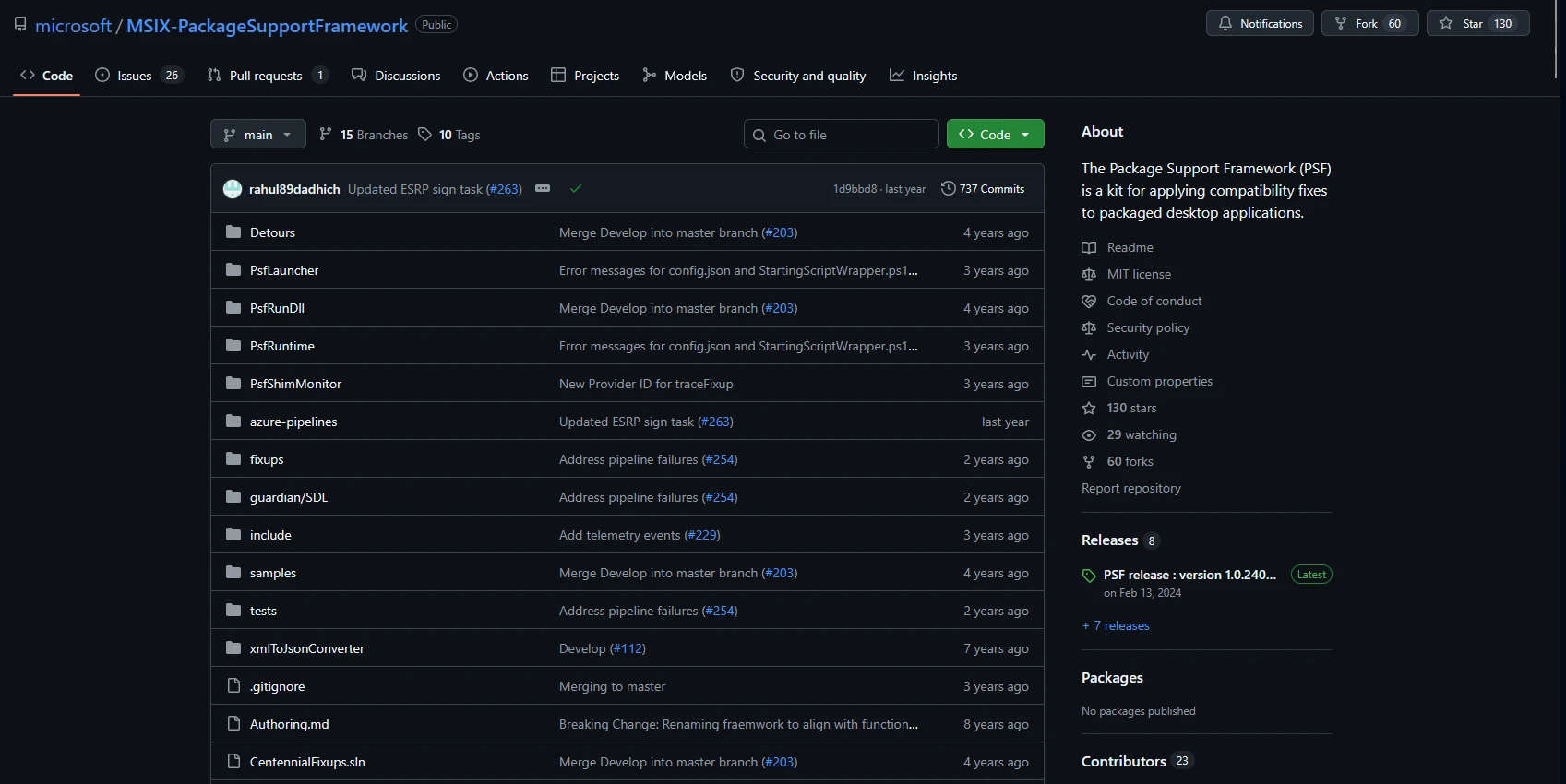
What is worth understanding about the PSF ecosystem in 2026 is that not all implementations are the same. There is an official Microsoft fork on GitHub, as well as community and vendor forks that have evolved separately.
The Microsoft fork used by the MSIX Packaging Tool has lagged behind in some areas. Created by an industry expert, the TimMangan community fork contains upwards of three years of changes that are not present in Microsoft’s version. And if we look at the last release, this was two years ago already:
Advanced Installer maintains its own PSF implementation, which draws from both sources and extends them with proprietary enhancements.
Where the Industry Actually Stands
Looking back, enterprise MSIX adoption has been slower than Microsoft would have preferred. The technology has been around for nearly a decade, but widespread enterprise deployment remains a challenge.
Microsoft promised an O365 MSIX package, which was later discontinued due to its complexity. Office was the “big thing” that helped MSI gain popularity and demonstrate the technology’s capabilities. However, with MSIX, this created even more doubt.
The trajectory appears to have shifted. Microsoft's products are now migrating to MSIX: Visual Studio Code, Microsoft Edge, and now PowerShell.
When Microsoft releases its flagships exclusively as MSIX packages, it forces the ecosystem to follow.
Organizations that have moved to Intune-based deployment find MSIX to be a natural fit because the format was designed with modern device management in mind.
However, we will have to wait and see how these changes will affect the industry, whether the industry will choose to start distributing their own packages as MSIX, or if the technology will remain unnoticeable at its current stage.
Converting Your Legacy Packages with Advanced Installer
Advanced Installer identified the gaps and limitations from the beginning.
We were first to provide Package Tracing, automatic fixups, custom PSF implementations, GUI PSF Fixups, and much more for this technology.
Why? Because we believed in it, and we still do!
If you have a library of MSI or EXE packages and need a practical path to MSIX, Advanced Installer is one of the most capable tools available for this job!
It was one of the first packaging tools to fully support MSIX, and it continues to invest in the format with each release.
The workflow depends on what you are starting from. If you have an MSI, the path is simple with Advanced Installer.
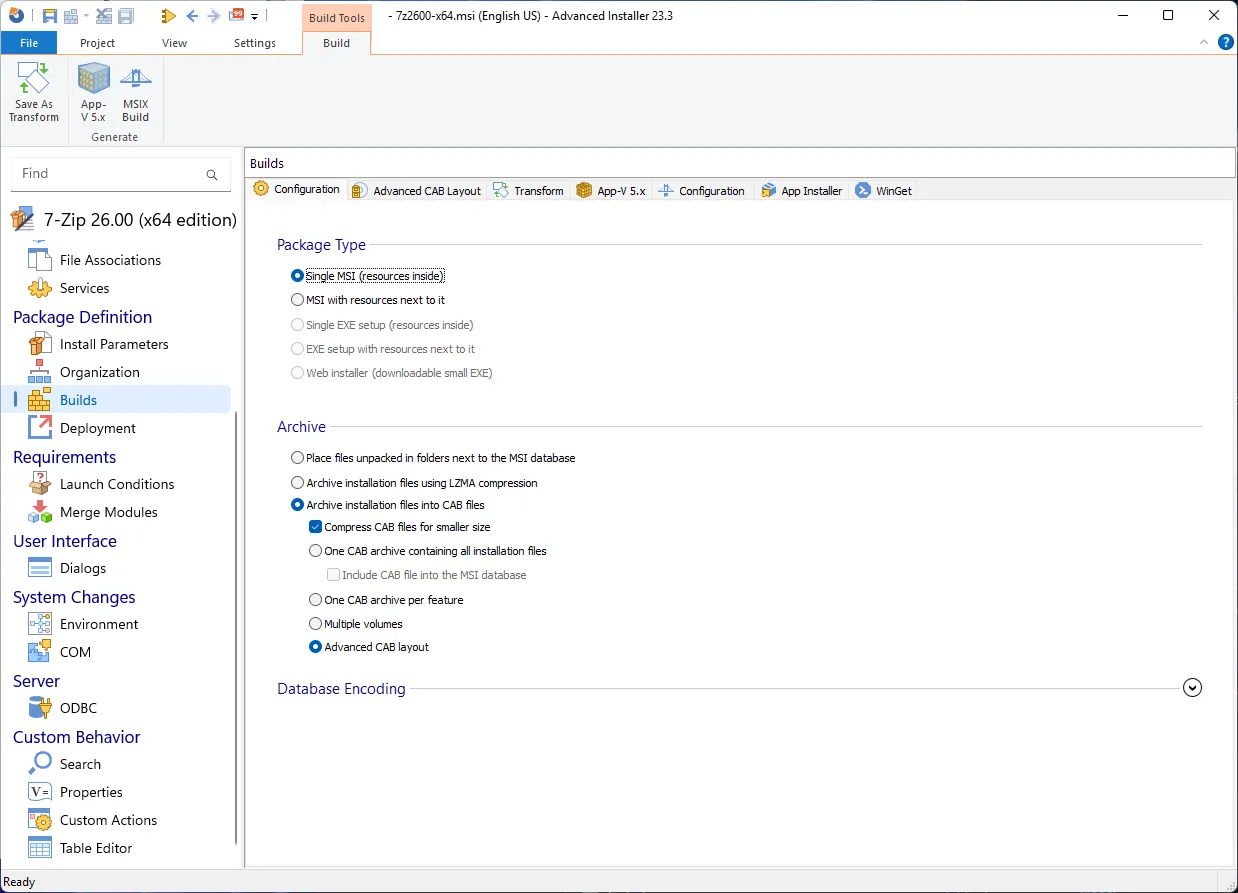
All you have to do is open the MSI with Advanced Installer. Once that is done, go to the Builds page and click on MSIX Build on the top ribbon.
If you own an EXE and want to convert it to MSIX, use the repackaging technique.
This is a very long topic and process that we have explained in our Packaging Academy, and we have a very long article separate from it to better explain all of the other topics.
Conclusion
MSIX has matured significantly since its early, rough start, and the industry is now clearly shifting toward it as the new standard.
Microsoft’s decision to discontinue MSI for PowerShell 7.7 and later signals a major turning point, pushing enterprises to adapt sooner rather than later. With improved tooling, stronger PSF capabilities, and features like Azure Artifact Signing, MSIX is far more practical than it once was.
For organizations looking to modernize their packaging workflows, converting MSI or EXE installers to MSIX is now both achievable and increasingly necessary.
Final Takeaways
- The PowerShell team has officially announced that the MSI installer package will no longer be supported in PowerShell 7.7-preview.1. Instead, MSIX will be the primary installation method available.
- The experience with MSIX shaped a negative reputation due to corporate delivery times, poor documentation, immature tooling, and other issues.
- One of the most significant changes was the introduction of conversion accelerators, which are community-driven files that encode known fixes and repackaging steps for specific applications
- Another significant addition was the Package Analyzer, which performs a runtime analysis of the MSIX package, automatically identifying the problems and making suggestions for fixing them
- Two more things were introduced: PSF’s fixups integration into the MSIX Packaging Tool GUI and the Azure DevOps App Attach extension for VHD images
- PSF was seen as the “key” to making legacy Win32 applications work reliably within an MSIX container. The PSF intercepts API calls from your application and redirects them in ways that comply with the MSIX sandboxing model.
- If your application tries to write to its install folder, which MSIX doesn’t allow, the PSF redirects those writes to the appropriate per-user data location. If it can’t find certain DLLs, the PSF helps establish the right working directory. If it needs command-line arguments passed at launch, the PSF handles it.
- Advanced Installer is the first to provide Package Tracing, automatic fixups, custom PSF implementations, GUI PSF Fixups, and much more for MSIX technology.
Written by

Alex Marin
Application Packaging and SCCM Deployments specialist, solutions finder, Technical Writer at Advanced Installer.