The Best Alternatives to WinGet: Windows Package Managers Compared
Winget is becoming increasingly popular, and the official repository is growing larger as new applications are added. Many ISVs who place their apps on the repository already have a well-established process to keep them up to date.
However, WinGet is “the new kid on the block,” having been announced in 2020, and early builds were available to Windows 10 users in June of that same year.
Before WinGet, there were other third-party package managers for Windows available, some of which contained a broad repository of applications.
In this article, let’s explore some package manager alternatives for Windows.
Chocolatey

Let's start with one of the most popular: Chocolatey.
Chocolatey is one of the oldest and most popular package managers for Windows. Built on NuGet and PowerShell, it’s designed for both individual users and enterprise environments.
This package manager was launched in 2011 and provided a straightforward context for application management: install, update, and remove software packages using simple commands.
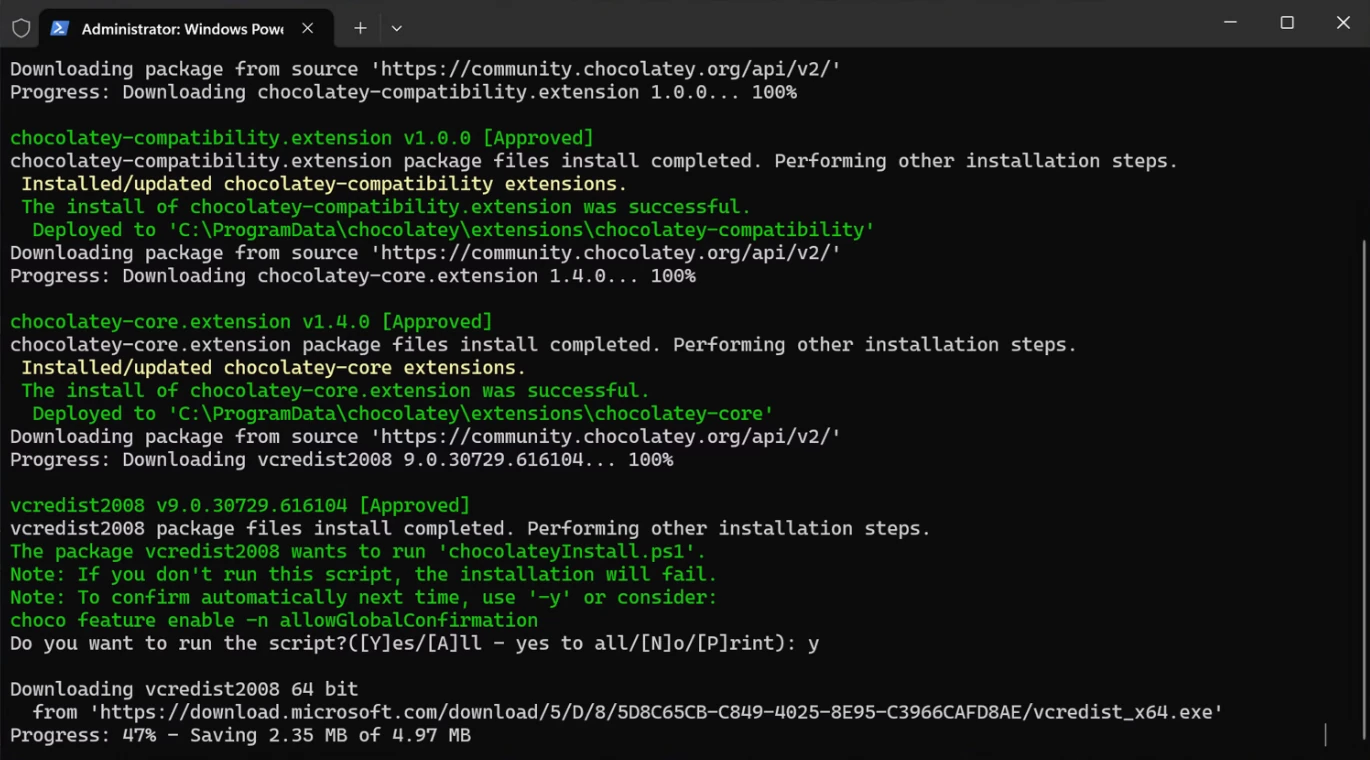
Chocolatey is an open-source, machine-level package manager for Windows that uses the NuGet packaging infrastructure as well as PowerShell scripts to make it easier to download and install software.
Chocolatey, as one of the oldest third-party package managers, has gained a massive ecosystem with thousands of community-maintained packages.
With recent updates, it is now automation-friendly, integrating with CI/CD pipelines and configuration management tools such as Puppet, Chef, and Ansible.
Chocolatey provides a standard free option for most users that can be used at home, as well as the Enterprise edition, which includes auditing, compliance, and private repositories for secure internal use.
So, how does it work?
Well, the packages are placed and approved in the public repository, similar to what Winget does now by creating a metadata file and instructions for the app and placing it in the official Chocolatey repository.
Users can install applications with commands similar to:
choco install googlechrome
choco upgrade vscode
choco uninstall notepadplusplus
Chocolatey handles the downloading, verifying, and silent installation of the software in the background after a user initiates an installation. Chocolatey supports MSI, EXE, ZIP, and script-based installers, making it flexible for almost any Windows application.
So far, Chocolatey appears perfect, with pros such as a large package library, strong enterprise support, compatibility with almost all installer types, and a mature development history with more than 14 years in the game.
However, we should also consider one con that has been discussed: the actual community packages. You see, the repository is maintained by the community, and while popular applications such as Google Chrome and Notepad++ will receive fast and reliable updates, other software may not receive updates as fast, and package quality may not be up to par.
Scoop
Scoop is another third-party package manager for Windows that shouldn't be overlooked.
This is a lightweight, developer-focused package manager that installs applications in the user’s home directory, as opposed to Chocolatey, which uses per-machine applications.
In general, in the IT Professionals world and large infrastructure companies, the preferred solution is to have the applications per-machine based and available to all the users who will be using that machine.
However, with the Scoops approach, you will not need any administrative rights when installing software.
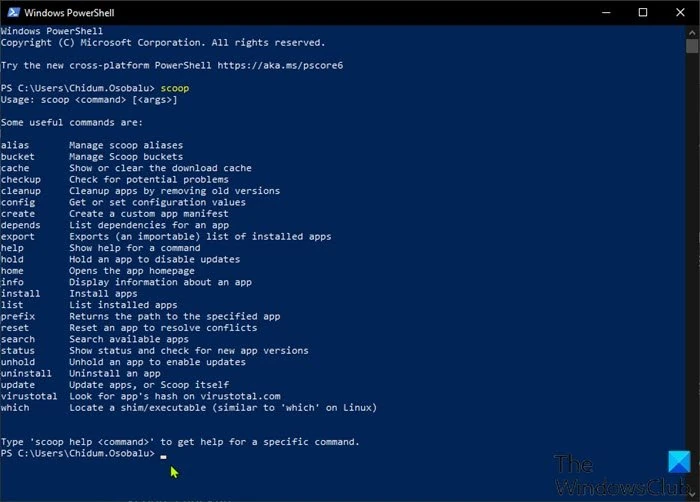
Scoop is a command-line package manager released in 2014 and uses a simple JSON manifest to define the packages, making it popular among programmers who want fast, clean installations of CLI tools and development environments.
Same as Chocolatey, it is written in PowerShell, C#, and XML, and the repository is maintained by the community.
So, how does it work? Scoop installs the applications in the user’s home directory (~/scoop), which avoids the need for administrator privileges.
This design bypasses UAC prompts and prevents system-wide changes.
JSON manifests define the packages by telling Scoop from where to download the app, how to install it, and if any dependencies are required.
Some examples of Scoop commands are:
scoop install nodejs
scoop update
scoop uninstall neovim
Scoop’s target audience includes:
- Developers who want to quickly set up a dev environment without admin access.
- Power users who want a lightweight install and easy cleanup.
- Students who typically run in environments with limited or restricted admin rights.
It has a lot of pros, including the ability to install applications without administrative rights, clean installations with minimal system impact, ease of management and updating applications, and a strong developer ecosystem.
Of course, nothing is perfect, and there are some cons to Scoop as well, such as a much smaller package library compared to Chocolatey, less enterprise support due to a lack of compliance and auditing features, and finally (but this is subjective based on your needs), a focus mainly on developer tools rather than consumer applications.
Ninite
Unlike Chocolatey and Scoop, Ninite takes a different approach. Ninite is not only a command-line package manager but also a “bulk installer tool.”
In the UI, you can select all the desired apps from the list (Chrome, Zoom, etc.), download a single installer, and Ninite will install everything silently.
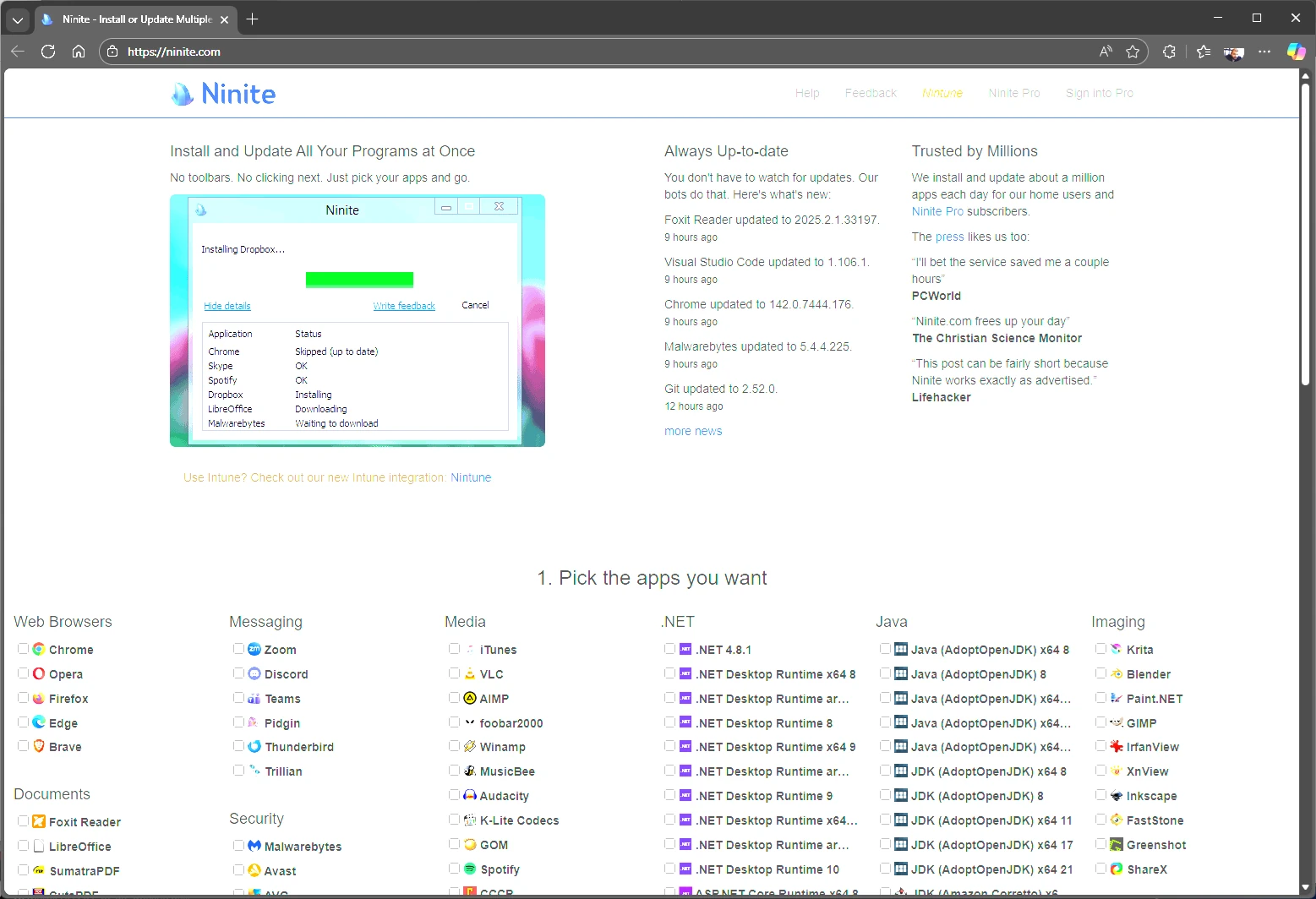
Ninite has many years under its belt, having been released in 2009. Unlike its competitors, it provides a web-based application selection tool, so you don’t install anything on the system.
You simply go to the Ninite website, select the desired applications, download the custom installer, and run it. Ninite will install all selected applications automatically without prompts, license agreements, or toolbars, using the default settings.
Ninite also has a Pro version where you can manage devices in a live web interface. This provides you with a Ninite agent that keeps track of the software installed on your devices and makes software management easier. So this is the enterprise-grade version, which allows IT teams to deploy, update, and manage software across entire networks.
Ninite is suitable for both everyday users and enterprise IT Administrators due to its ease of use and fast bulk installations.
However, unlike Chocolatey, the application catalog is limited. Also, there are no developer tools or niche software available, and it is less flexible, which means you can’t customize installation options.
PacKit
PacKit is not a package manager by definition. However, one of its features is WinGet integration, which allows you to simply select any installation package from the repository with the desired version, download it locally, and make any additional changes as needed.
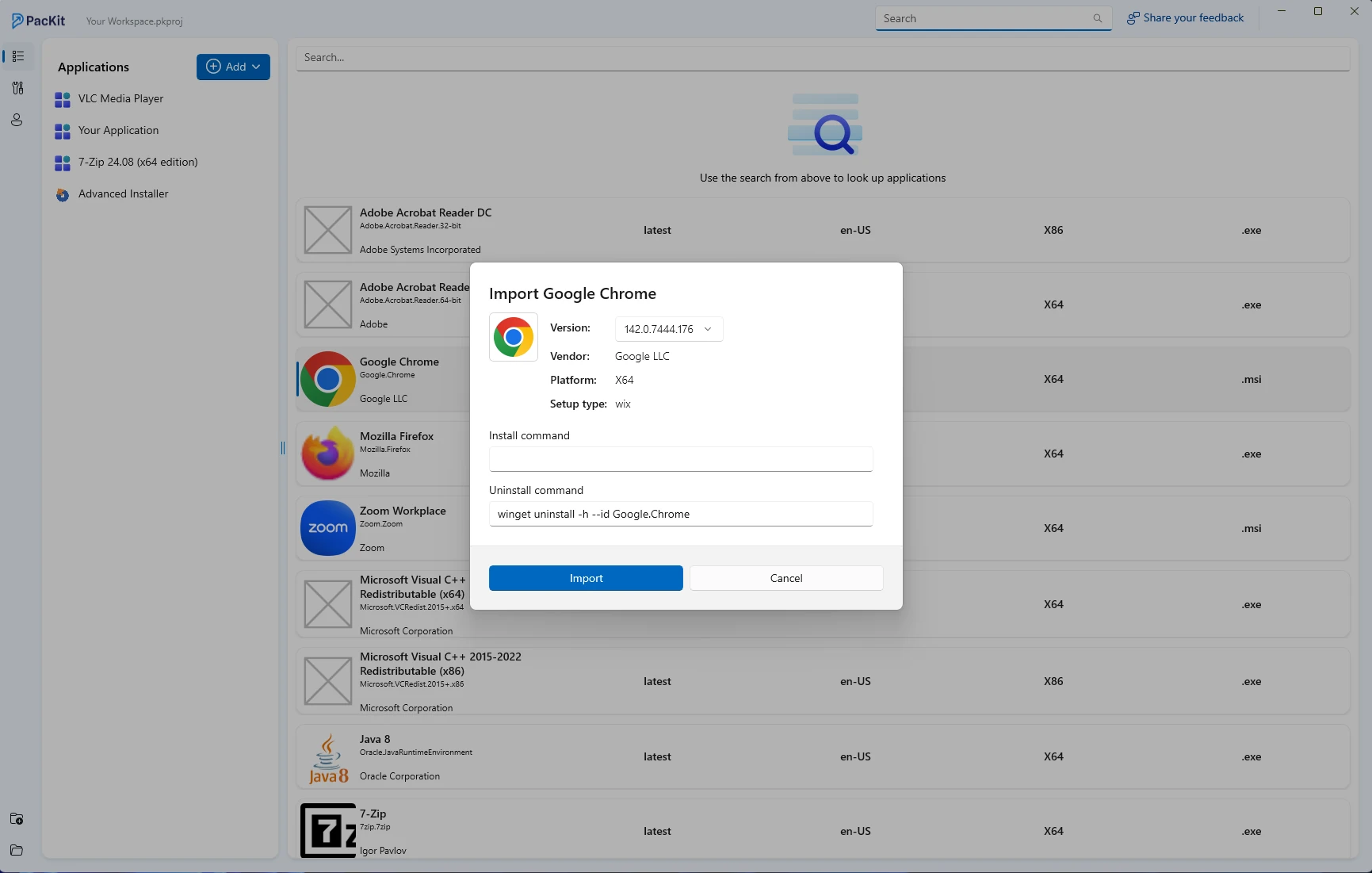
After a package has been downloaded, you can use Advanced Installer to modify it, or you can easily wrap it inside a PSADT script and insert all of the necessary changes and steps.
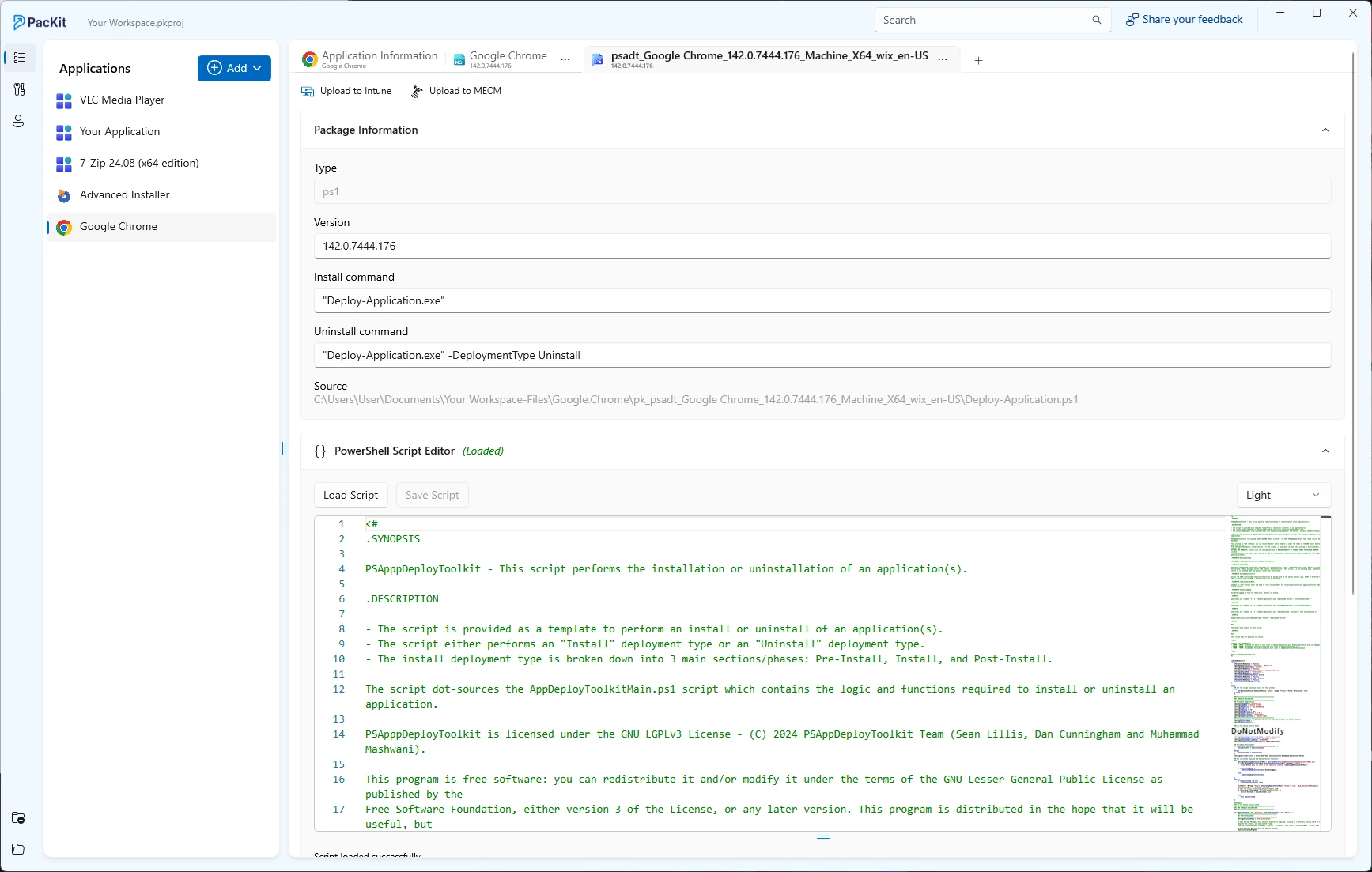
PacKit also allows you to quickly deploy the modified package within your MECM (SCCM) environment or Intune once you’ve finished modifying it.
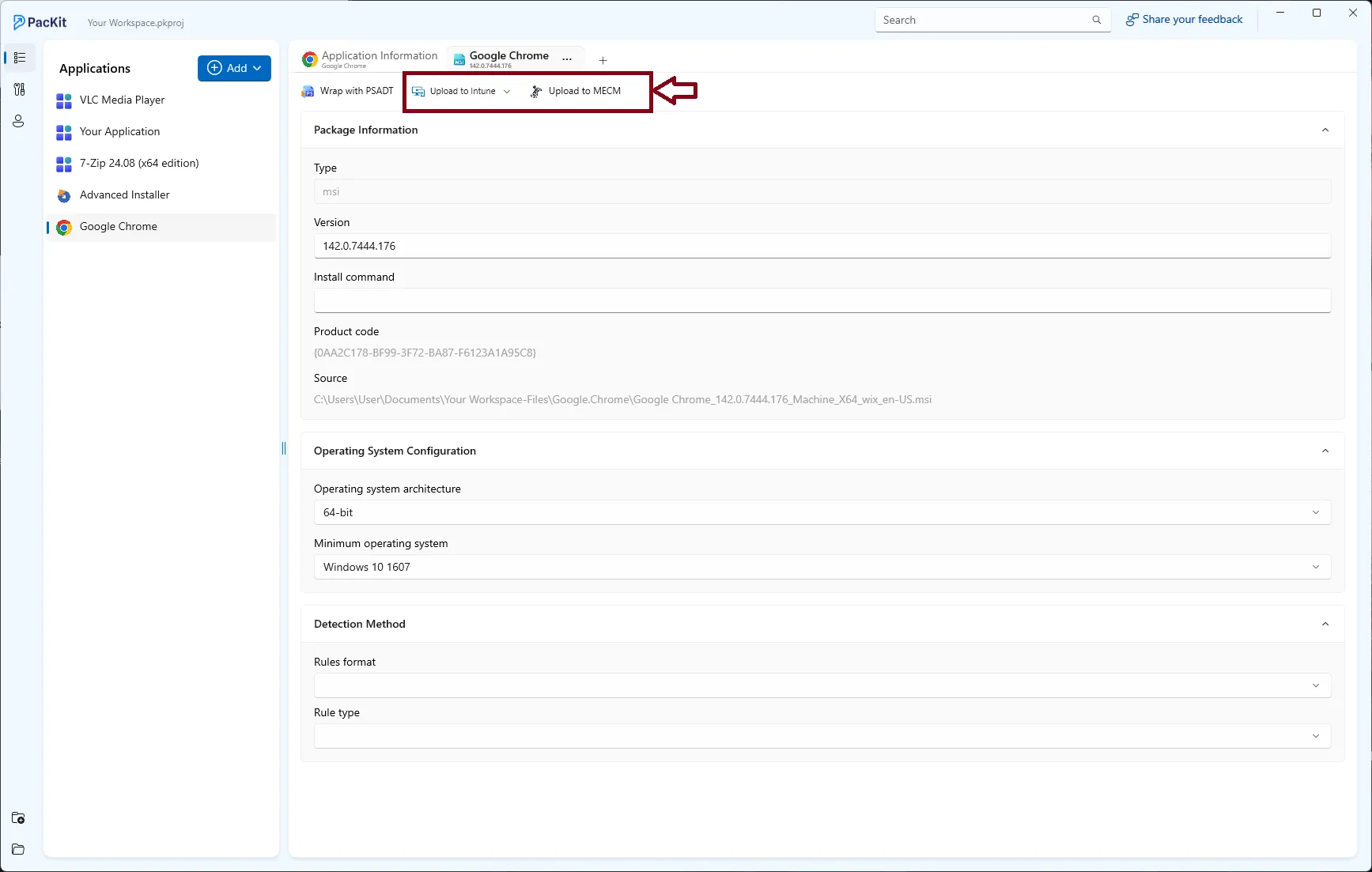
PacKit’s scope is to provide a more streamlined approach with reduced timelines for application packaging or modifications.
Final Takeaways
- When WinGet first appeared, Windows package managers were already diverse, and familiarity with these previous tools points out the areas where WinGet is now most recognizable.
- Chocolatey is still the winner because of the huge ecosystem, support for various installer formats, and enterprise-ready features, but at the same time, it is very much dependent on the quality and update speed of the community-maintained packages, which may vary.
- Scoop is an open-source project, clean and developer-focused. However, its small catalog and limited enterprise features make it a niche tool that wins in installer-per-user and no admin rights required.
- Ninite provides the highest level of simplicity for bulk installations and quick onboarding, even though it has a limited catalog and very little room for customization.
- PacKit has a smooth workflow for acquiring WinGet packages, changing their details, and deploying them to a large number of users. It can be a helpful partner instead of a conventional package manager.
Conclusion
Before WinGet, we had many options for Windows package managers, and the presented options are still valid and widely used today. When you compare the third-party package managers to Winget, there are pros and cons.
From a pro perspective, WinGet is native and already installed on the OS, and you don’t need to worry about extra steps to configure this inside your infrastructure, as you would with a third-party package manager.
Written by

Alex Marin
Application Packaging and SCCM Deployments specialist, solutions finder, Technical Writer at Advanced Installer.