Remote Software Installation and Deployment Process Explained
In the digital era, the capacity to remotely install software on computers is essential for any kind of infrastructure, regardless of its size.
It is important not only because it improves operational efficiency and allows you to create an evergreen roadmap of your software and inventory, but also because it reduces the time and resources needed to deploy that software into your infrastructure.
It’s a common misconception that an MSI package, or Microsoft Installer (MSI), doesn’t have to be present locally. It may be stored on a shared network location or accessed through an FTP server or cloud storage, which means it can be installed across the network.
This article explains remote software installation and its possibility through diverse approaches, including Microsoft’s Configuration Manager (ConfigMgr, formerly known as SCCM/MECM), Group Policy Objects (GPOs), and others designed specifically for smaller businesses.
What is Remote Software Installation?

After getting through the application packaging process, it is time to have the resulting installer (MSI, EXE, or MSIX) and deploy it.
When we talk about remote software installation, we refer to custom solutions that typically apply to very small to small businesses that don’t need to invest in infrastructure management tools such as the ones we will discuss.
Remote software installation can be done in multiple ways:
- A simple script that runs commands on the network devices and points to a centralized share where the packages are stored
- In some infrastructures, the software is simply stored in a central repository (a folder on a device that can be accessed from anywhere on the network), and the users can install it from there.
Remote software installation is not rocket science. To be honest, this is how software was “deployed” before infrastructure management tools were introduced.
Deployment through SCCM
SCCM was the gold standard for on-premise infrastructure management present everywhere. Of course, all large infrastructures have recently migrated to a cloud management approach via Intune, but SCCM is far from dead because there are many companies that stick to on-premise infrastructure management.
 Microsoft Configuration Manager (ConfigMgr) is also known as:
- Microsoft's System Center Configuration Manager (SCCM)- Microsoft Endpoint Configuration Manager (MECM)
I will use the "SCCM" acronym to refer to it in this article because it is the most widely used term in the deployment and packaging industry, both by me and by many others.
SCCM supports remote software installation, which allows you to deploy software without first downloading the binaries to the target device. This feature is especially useful in bandwidth-constrained environments, as it minimizes network traffic by installing directly from the network location where the installation source is hosted.
By minimizing the amount of data transferred across the network, SCCM effectively reduces network load and can speed up the installation process significantly.

SCCM is a natural choice for managing deployments in organizations that are heavily invested in Microsoft technologies because it integrates seamlessly with other Microsoft products and services such as Active Directory and Azure.
By aligning with existing protocols and infrastructure, this integration simplifies management tasks while also improving security.
I recommend reading these articles:
- What is Microsoft Endpoint Configuration Manager (formerly SCCM)?: This is an in-depth article explaining what SCCM is, what it can do, and what software deployment options are available. - Master SCCM Application Packaging and Deployment with Advanced Installer: This article also covers multiple cases that you can use.
We have more articles that cover the SCCM area. Feel free to check them out.
Deployment through Intune
Microsoft Intune is the modern approach to infrastructure management, which acts as the SCCM cloud version with new features.
Intune simplifies the deployment process by helping IT administrators to manage apps and settings on devices from anywhere.
This is particularly useful for organizations with remote or mobile workforces, as it supports the management of both company-owned and personal devices under the Bring Your Own Device (BYOD) policy.
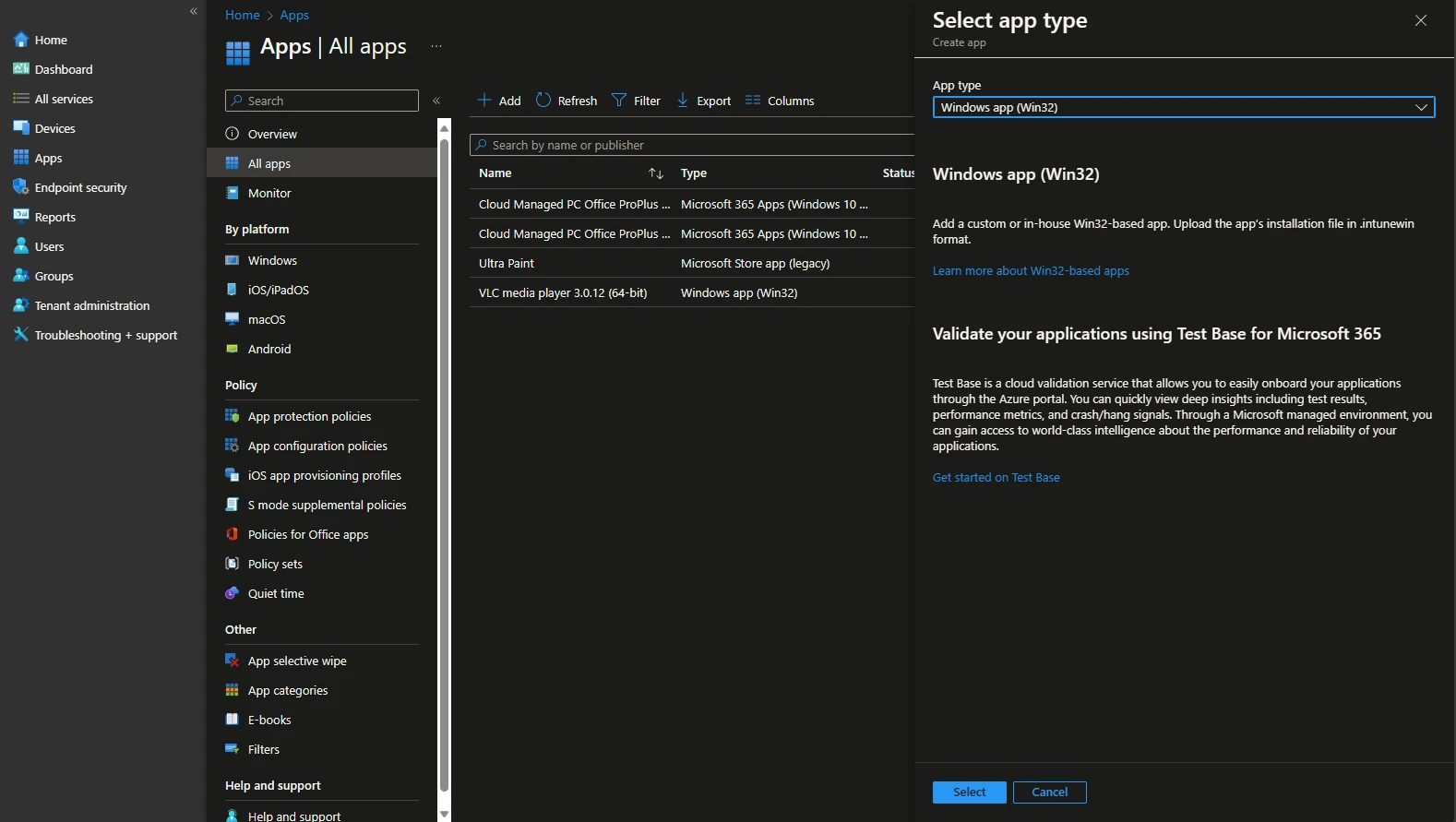
We also have a lot of articles on Intune, and I really recommend you check them out. What you should know is that while Intune provides more application deployment options, the Win32 App deployment type is the most commonly used among IT professionals.
How Group Policy Objects (GPOs) are Used
Using GPOs to deploy software is not a new technique, given that it had been used for decades before IMTs (Infrastructure Management Tools) became popular.
The biggest advantage of using GPOs is their ability to apply policies to a wide range of computers within the AD structure. This means you can set up a single policy that automatically installs software on all targeted devices within the domain or specific organizational units (OUs).
This approach eliminates the need to individually configure settings on each computer, making it incredibly efficient for managing large numbers of devices.
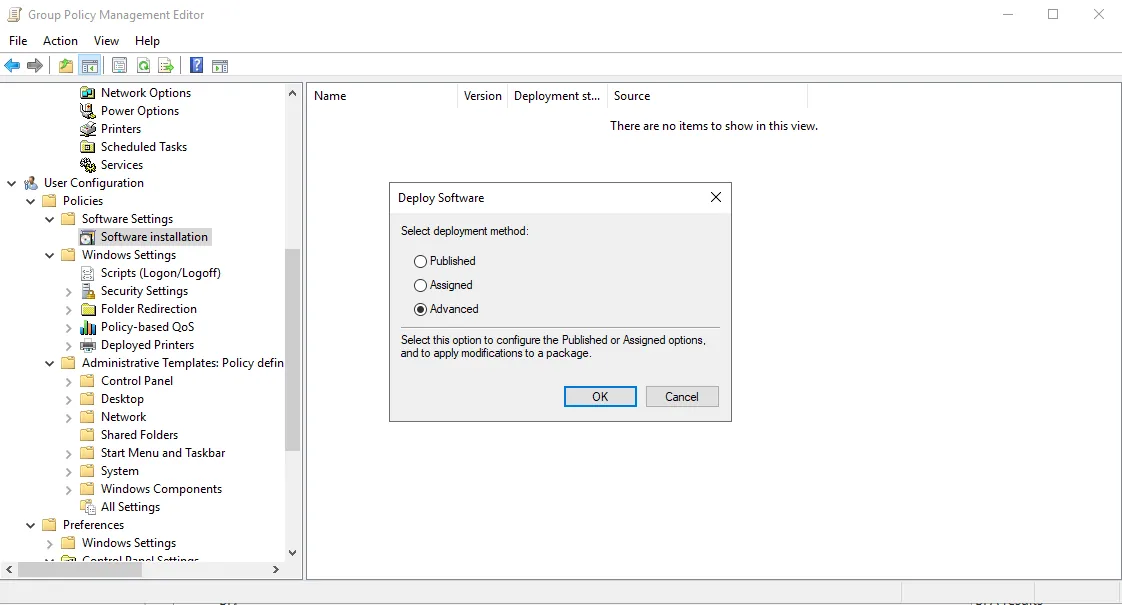
When deploying software using GPOs, administrators can specify which applications should be installed on which groups of computers or users by linking software installation settings to the appropriate GPOs. This ensures that only the relevant devices receive the installations, optimizing resource use and minimizing potential disruptions.
For example, you might want a specific piece of accounting software to be installed only on the devices in the finance department’s OU, and GPOs make this kind of targeted deployment straightforward.
Check out our article regarding MSI, MSIX, and Wrapper method deployment with Group Policies to find out how you can leverage Group Policies to trigger software installations across your infrastructure.
Third-Party Tools for SMBs
There are many third-party tools for software deployments suitable for SMBs (small to medium-sized businesses), including ManageEngine Application Manager, SolarWinds AppOptics, New Relic, and Ansible.
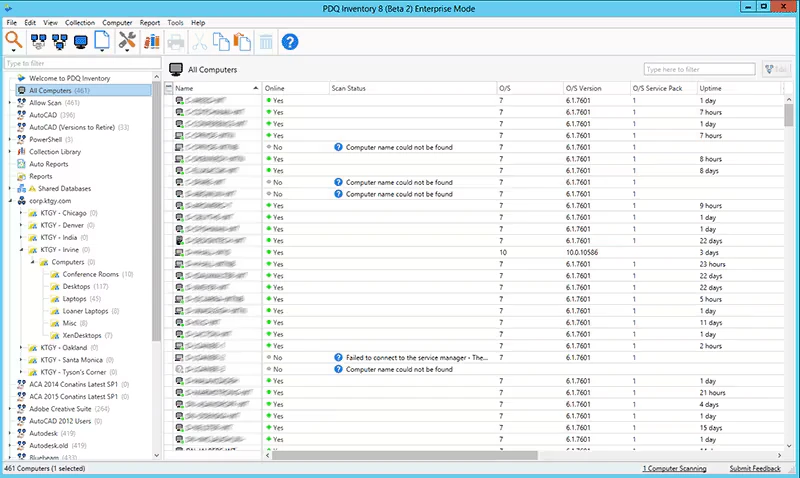
PDQ Deploy is one of the most popular tools for application management.
Technically, PDQ can be integrated with both SCCM and Intune to provide a complete solution for automatic application deployment, monitoring, and upgrades. However, PDQ can also operate independently with its own interface and rules.
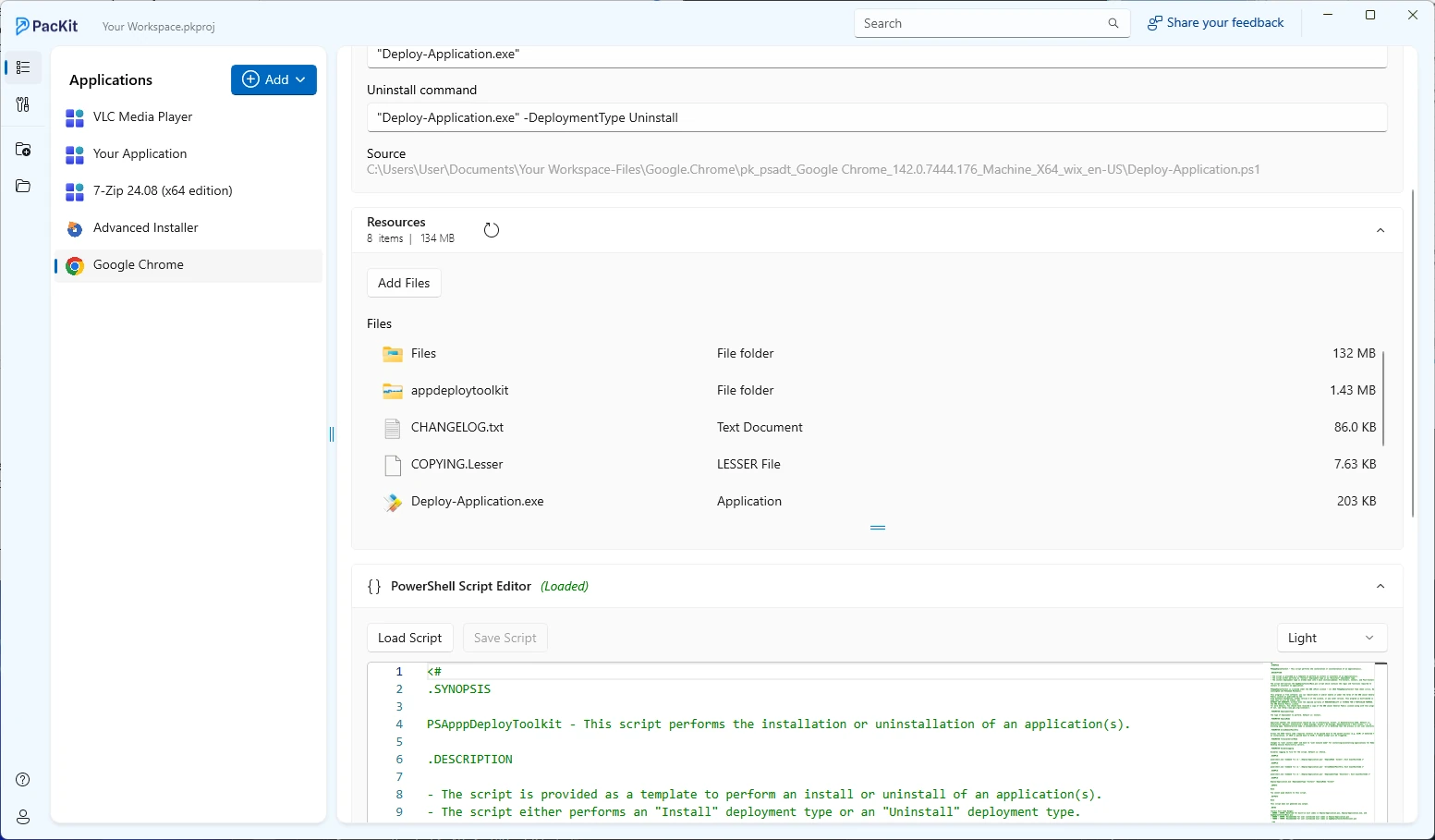
I’d like to mention that, even though it is not actually an infrastructure management tool, the Advanced Installer guys recently released a new utility called PacKit, which aims to simplify the application deployment process.
The idea is simple: once your package is ready, you can import it into the PacKitworkspace, and then you can wrap it withPowerShell App Deployment Toolkit or directly upload it to SCCM or Intune with all configurations included.
The reason I mentioned PacKit is the ability to connect to the WinGet repository and allow the user to download the requested version from there. Once downloaded, it will contain all of the necessary command lines and detection methods, and all the user has to do is decide for a direct push of the application into the IMT (Intune or SCCM) or to wrap it with PSADT.
PacKit also includes a built-in PSADT editor, meaning it automatically handles the wrapper’s structure, saving you from the hassle of opening different editors.
Final Takeaways
- Remote software installation describes pushing MSI, EXE, or MSIX packages from a shared source to many machines, replacing local installs with scripted or policy-driven execution across the network.
- SCCM performs deployments by directing endpoints to hosted installation sources, keeping traffic controlled and fitting naturally into on-premise infrastructures.
- Intune delivers applications from the cloud, supporting Win32 app deployment to remote and mobile devices without relying on internal network access.
- Group Policy Objects trigger software installs through Active Directory structure, using organizational units to control reach and timing with minimal manual input.
- Third-party tools for SMBs, such as PDQ Deploy and PacKit, focus on speedy application rollout, offering repository-based downloads, automated command lines, and simplified deployment flows without enterprise overhead.
Conclusion
Remote software installation is an essential feature for modern IT infrastructures, offering the flexibility and efficiency required to manage software deployments in a distributed computing environment.
By taking advantage of tools like SCCM, GPOs, and third-party solutions designed for SMBs, businesses can achieve streamlined software management, reducing the complexities associated with traditional installation methods.
As remote work continues to evolve, the importance of effective remote software installation strategies will undoubtedly grow, highlighting the need for continuous innovation and adaptation in IT management practices.
Written by

Alex Marin
Application Packaging and SCCM Deployments specialist, solutions finder, Technical Writer at Advanced Installer.