


Notifications Page

Custom notifications can be displayed by our updater. Notification availability is checked when the Updater is called with /checknow or /silent parameters.
 Notifications are displayed even when no updates are available.
 On Windows 10 the notifications are displayed as a toast notification. On
Windows 7 and Windows 8 notifications are displayed using a custom window
positioned in the bottom right corner of the screen.
On Windows 10 the notifications are displayed as a toast notification. On
Windows 7 and Windows 8 notifications are displayed using a custom window
positioned in the bottom right corner of the screen.
 An AppID must be specified in Updater Page. On some
Windows 10 versions the notifications will not be displayed if no AppId is
specified.
An AppID must be specified in Updater Page. On some
Windows 10 versions the notifications will not be displayed if no AppId is
specified.
In this page you can specify the settings for these update notifications:
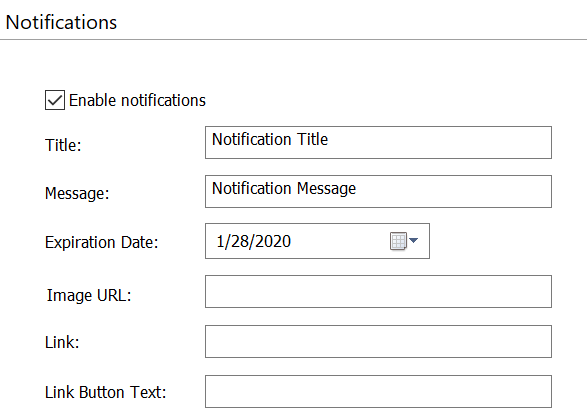
Title
The title of the update notification.
Message
The message of the update notification.
Expiration Date
Setting for the expiration date. The notification expires the day after the date specified.
Image URL:
This feature is only available on Windows 10.
In this field, an image URL can be specified. This image will be displayed in the notification.
Link
In this field, a link can be specified.
Link Button text
The link button text