


- Introduction
- Registration
- Using Advanced Installer
- GUI
- Working with Projects
- Installer Project
- Patch Project
- Merge Module Project
- Updates Configuration Project
- Windows Store App Project
- Modification Package Project
- Optional Package Project
- Windows Mobile CAB Projects
- Visual Studio Extension Project
- Software Installer Wizards - Advanced Installer
- Visual Studio integration
- Alternative to AdminStudio/Wise
- Replace Wise
- Migrating from Visual Studio Installer
- Keyboard Shortcuts
- Shell Integration
- Command Line
- Advanced Installer PowerShell Automation Interfaces
- Features and Functionality
- Tutorials
- Samples
- How-tos
- FAQs
- Windows Installer
- Deployment Technologies
- IT Pro
- MSIX
- Video Tutorials
- Advanced Installer Blog
- Table of Contents
- Introduction
- Registration
- Using Advanced Installer
- GUI
- Working with Projects
- Installer Project
- Patch Project
- Merge Module Project
- Updates Configuration Project
- Windows Store App Project
- Modification Package Project
- Optional Package Project
- Windows Mobile CAB Projects
- Visual Studio Extension Project
- Software Installer Wizards - Advanced Installer
- Visual Studio integration
- Alternative to AdminStudio/Wise
- Replace Wise
- Migrating from Visual Studio Installer
- Keyboard Shortcuts
- Shell Integration
- Command Line
- Advanced Installer PowerShell Automation Interfaces
- Features and Functionality
- Tutorials
- Samples
- How-tos
- FAQs
- Windows Installer
- Deployment Technologies
- IT Pro
- MSIX
- Video Tutorials
- Advanced Installer Blog
- Table of Contents
COM+ Properties

This view allows you to specify the information needed to register a COM+.
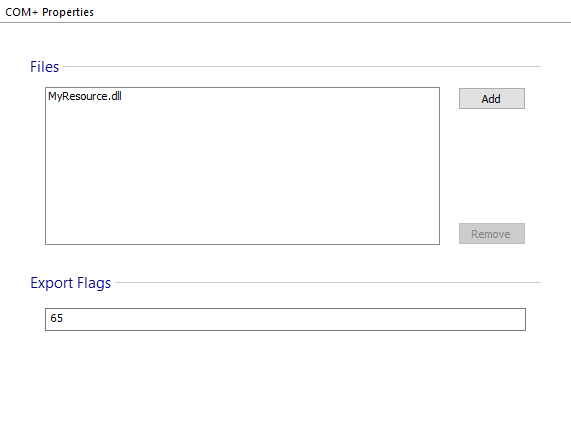
Files
Select the COM+'s files. Use the [ Add ] and [ Remove ] buttons to do that.
 All the files that form a COM+ must be placed in the same
component.
All the files that form a COM+ must be placed in the same
component.
Flags
Specify the flags used when the MSI file is created.