


Type Library Properties

This view allows you to specify the information that will be placed in the registry during the Type Library's registration process.
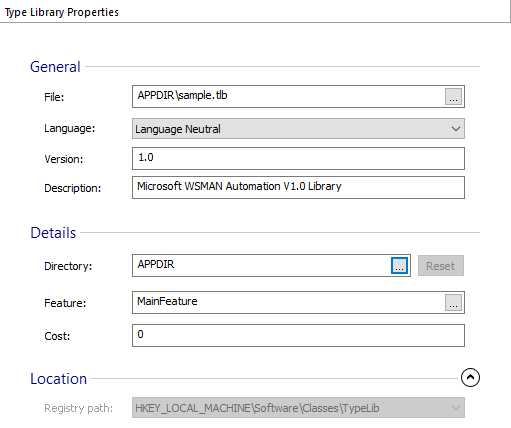
General
File
This field displays the file that contains the Type Library. Use the button to change it.
Language
Specify the type library's language. Select one from the drop-down list.
Version
Specify the Type Library's version. The version's format is: major version dot minor version.
Description
Specify a description for the type library.
Details
Directory
Specify the directory that contains the Help file for the Type Library. Use the and buttons to do that.
Feature
Select the feature that must be installed in order for the Type Library to be operational.
Cost
Specify the cost, in bytes, associated with the Type Library properties.
Location
Registry path
The registry location where the type library is registered. For type libraries defined through MSI TypeLib table this location is read only.