


Repackager Session

Each session contains information about the main package as well as the next steps in the repackaging operation.

Selecting a session switches to the Repackager Session tab, from which you can:
- Apply a custom template to your project. This allows to specify a base template that contains common settings for all installers (product identification, registries entries, files etc.) from which the project is generated when repackaging a new setup.
- Choose what builds (MSI, MSIX/APPX, APP-V) are added to the Advanced Installer project or what packages are built when you press the button.
- Configure the repackaging operation result
- Build the package type you selected
- Create a repackaging report to document the process
- Select to open the repackaging result in an Advanced Installer project.
Session Information
Session information about the repackaging operation
The Repackager extracts the session information from the main package.
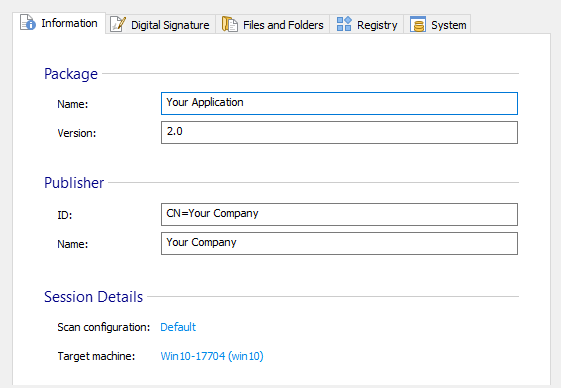
Package
- Name - product name of the application.
- Version - product version of the application.
Publisher
- ID - ID of the publisher.
- Name - publisher name.
Session Details
- Scan configuration - configuration used in the repackaging operation. It can be changed from the Configuration Manager
- Target machine - name and OS of the machine that was used in the repackaging operation. To configure your target machine, see the Virtual Machine Profiles.
Session Digital Signature
Enable and configure the digital signing operation
Enable and configure the digital signing operation.
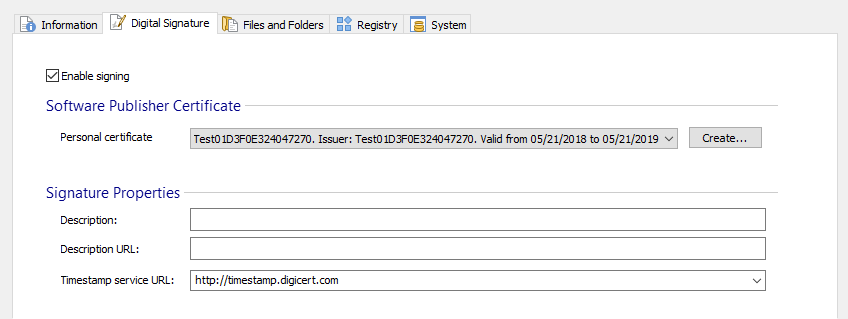
Enable signing
Checking this checkbox means that the package is signed at build.
Software Publisher Certificate
Personal certificate
Choose one of the currently installed certificates.
<Most suited certificate> - If this is selected, "SignTool.exe" signs the files with the best certificate found in the current user's Personal certificates store.
 To view or manage certificates inside the system store, you can use
certmgr.msc tool (Press Windows Key +
R, type "certmgr.msc" and press enter).
To view or manage certificates inside the system store, you can use
certmgr.msc tool (Press Windows Key +
R, type "certmgr.msc" and press enter).
- Creates a certificate with which you can sign your package for testing. Make sure you install it as a trusted certificate and use it only for testing purposes.
Signature Properties
Description
This field contains the signed content's description. It is shown by the Windows UAC after you click the "Install" button.
Description URL
This field contains a URL for a complete description of the signed content. The URL is used when the package is launched from an untrusted location (for example from the network) in the "Open File - Security Warning" dialog, where the "Name" field becomes a link to the URL you specified.
Timestamp service URL
A digital certificate has a validity period. After that period expires the signed code is not considered certified anymore. To prevent that a timestamp can be placed at the signing time which shows that the certificate was valid when the signing was done.
The “Timestamp service URL” specifies the URL of the timestamp server. An examples of such a server is:
Session Files and Folders
Resources captured during the repackaging operation
The files and folders (resources) modified or created by the installer during the repackaging operation are displayed on this page.
Configure the repackaging result by selecting what resources are kept or removed.
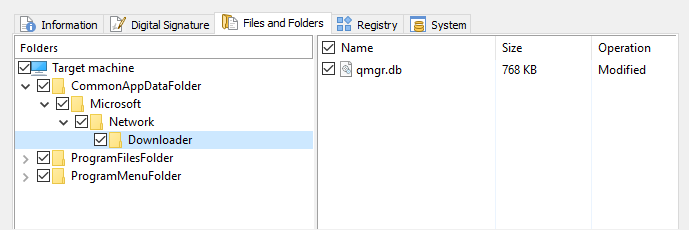
 The repackaging operation sometimes captures unwanted resources, make sure you
remove (uncheck) them before building a new package.
The repackaging operation sometimes captures unwanted resources, make sure you
remove (uncheck) them before building a new package.
Session Registry
Registry keys captured during the repackaging operation
Registry keys modified or created by the installer during the repackaging operation are displayed on this page.
Configure the repackaging result by selecting what keys are kept or removed.

The repackaging operation sometimes captures unwanted registry keys, make sure
you remove (uncheck) them before building a new package.
Session System
System changes captured during the repackaging operation
System changes done by the installer during the repackaging operation are displayed on this page.
Configure the repackaging result by selecting what system changes are kept or removed.
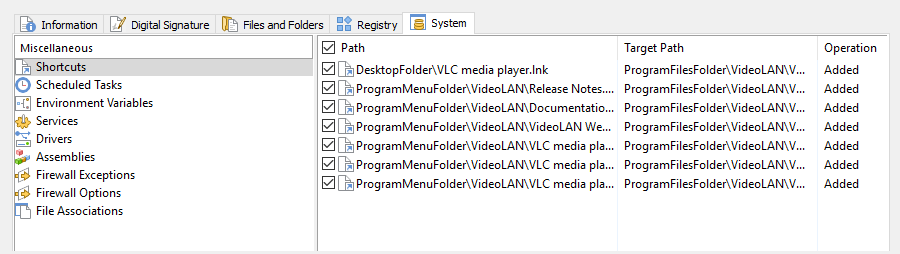
The repackaging operation sometimes captures unwanted system changes, make sure
you remove (uncheck) them before building a new package.