


Edit PseudoFormatted Type Dialog

In this dialog, you can edit a field of PseudoFormatted Type. The field is a text edit box that can be edited with Smart Edit Control. The helper button allows you to insert references to installation properties. The references will be inserted at the cursor position in the PseudoFormatted edit field.
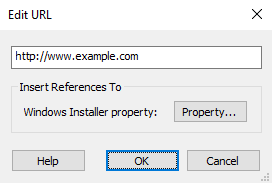
Inserting a reference to a property
Use the button. The Property Picker Dialog will pop up, allowing you to select a non-empty property to reference.
To remove references, directly delete the string from the field.
 Be careful to remove both matching square brackets and everything
in between.
Be careful to remove both matching square brackets and everything
in between.