


IAdvinstProject

An interface designed to access the main components and can be used to Save or Build your project.
Overview
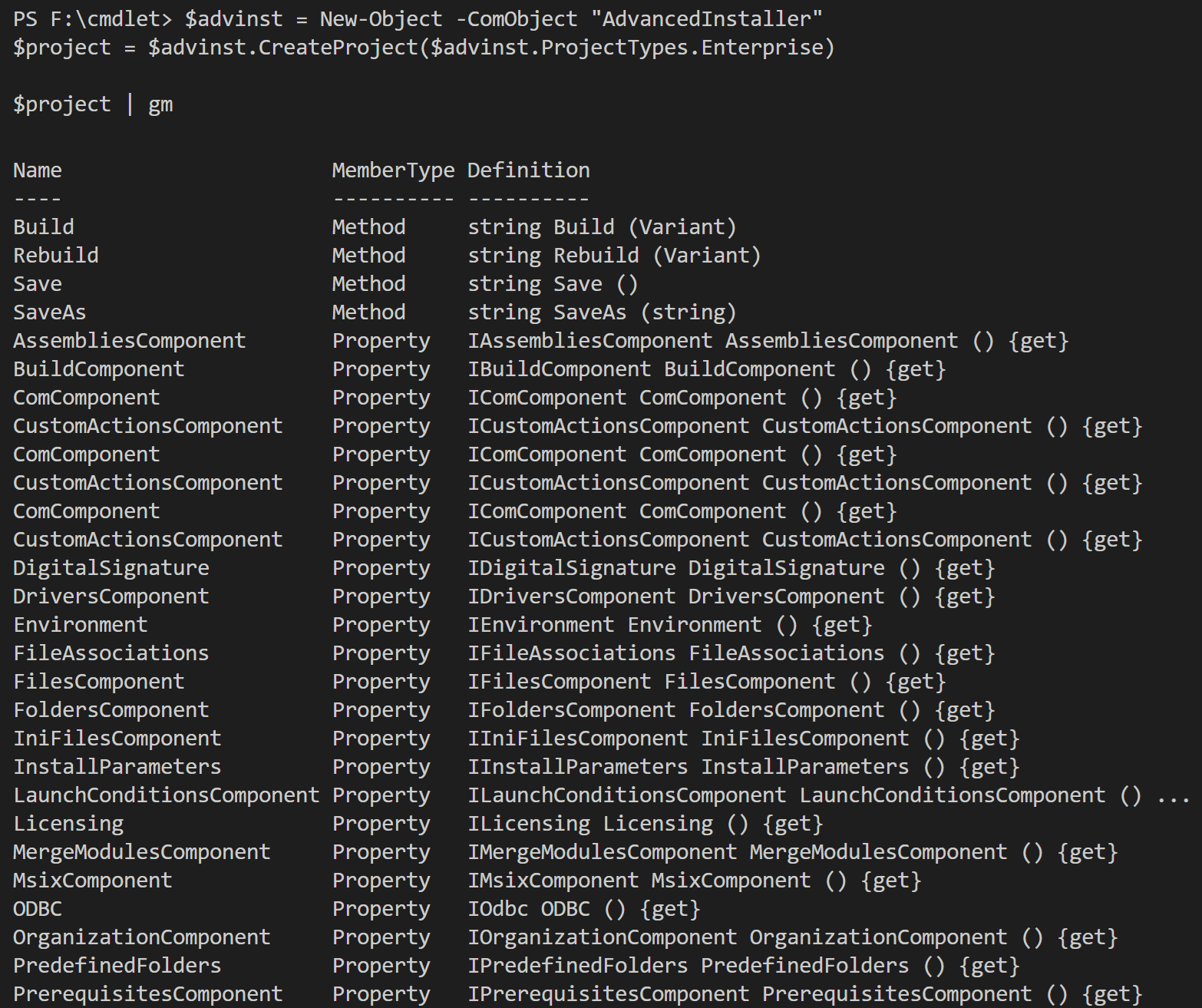
Methods:
- Build() - This method builds the project. The return will be a string that contains the build messages.
- Rebuild()This method builds the project. The return will be a string that contains the build messages.
- Save() - Saves all the changes done to the project. You can use this method if the project has a location on disk, otherwise, use SaveAs
- SaveAs(String location) - Saves all the changes done to the project in a specific location on disk.
Properties:
- IAssembliesComponent AssembliesComponent - this interface provides functions to add/remove a .NET/Win32 assembly installation.
- IBuildComponent BuildComponent - configure Builds.
- IComComponent ComComponent - create, access, delete COM entities.
- ICustomActionsComponent CustomActionsComponent - configure custom actions.
- IDigitalSignature DigitalSignature - configure digital signature details.
- IDriversComponent Drivers - gets the driver component.
- IEnvironment Environment - gets the environment component.
- IFileAssociations FileAssociations - gets the file associations component
- IFilesComponent FilesComponent - gets the files component.
- IFoldersComponent FoldersComponent - gets the folders component.
- IIniComponent IniComponent - gets the INI file component.
- IInstallParameters InstallParameters - configure the Install Parameters.
- ILaunchConditionsComponent LaunchConditionsComponent - access system, software and custom launch conditions.
- ILicensing Licensing - configure licensing settings.
- IMergeModulesComponent MergeModulesComponent - gets the merge modules component.
- IMsixComponent MsixComponent - this interface is meant for configuring the MSIX package.
- IODBC ODBC - this interface is meant for configuring the ODBC component.
- IOrganizationComponent OrganizationComponent - configure project features and components.
- IPredefinedFolders PredefinedFolders - gets the predefined folders component.
- IPrerequisitesComponent PrerequisitesComponent - this interface is meant to configure Prerequisites.
- IProductDetails ProductDetails - gets the product details component.
- IPropertyComponent PropertyComponent - configure launching powershell script file from custom action.
- IRegistryComponent RegistryComponent - gets the registry component.
- IRemoveFilesComponent RemoveFilesComponent - access existing file removal operations or create new ones.
- ISearch Search - gets the search component.
- IServices Services Component - configure services.
- IShortcutsComponent ShortcutsComponent - gets the shortcuts component.
- ISqlDatabasesComponent SqlDatabasesComponent - database component.
- ITempFilesComponent TempFilesComponent - gets the temp files component.
- ITextFileUpdatesComponent TextFileUpdatesComponent - configure facilitates accessing text file update operations.
- ITranslationsComponent TranslationsComponent - configure languages options.
- IUpdaterComponent UpdaterComponent - configure Advanced Updater.
- IXmlComponent XmlComponent - gets the xml component.
Sample commands
# IAdvinstProject automation
$advinst = New-Object -ComObject "AdvancedInstaller"
$project = $advinst.CreateProject($advinst.ProjectTypes.Enterprise)

# get all properties and methods
$project | gm

$project.SaveAs("F:\cmdlet\output\DemoProject Enterprise.aip")
$project.Rebuild()

# access project properties
$project.ProductDetails.Name = "PowerShell Automation Demo"
$project.ProductDetails.Version = "2.0.0"
$project.ProductDetails.Publisher = "Caphyon LTD"

# configure launch conditions
$project.LaunchConditionsComponent.SoftwareLaunchConditions | gm
$project.LaunchConditionsComponent.SoftwareLaunchConditions.IIS = "Internet Information Services 7.0"
$project.LaunchConditionsComponent.SoftwareLaunchConditions.DotNetCore = ".NET Runtime 5.0"
$project.LaunchConditionsComponent.SystemLaunchConditions.MinPhysicalMemory = "2048"
$project.LaunchConditionsComponent.SystemLaunchConditions.PreventRunningIfPendingSystemChangesRequiresReboot = $true

$project.SaveAs("F:\cmdlet\output\DemoProject Enterprise.aip")