


Edit EXE Metadata Dialog

This dialog allows you to edit EXE metadata fields.
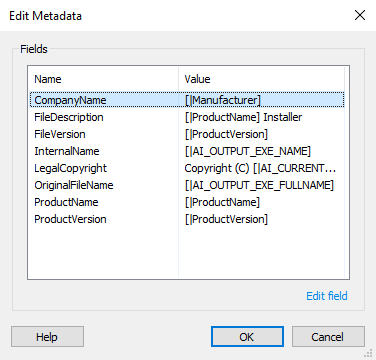
After selecting an item in the list either double-click it, access its “Edit...” context menu(right-click) or press the Edit field link button on the bottom right corner. This will show the Edit EXE Metadata Field Dialog.
Edit EXE Metadata Field Dialog
This dialog enables you to edit a field from the EXE metadata.
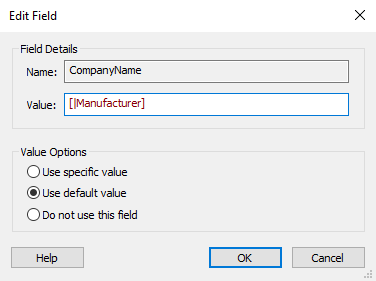
Field Details
Name
The field name. This value cannot be changed.
Value
This field has Advanced Installer PseudoFormatted Type and can be edited accordingly.
Value Options
Use specific value
Checking this option will enable the above Value field allowing you to edit it.
Use default value
This option restores the default field value.
Do not use this field
This option excludes the field from the EXE metadata.