


SQL Script (ISqlScript)

Overview
An SQL Script represents a set of SQL statements that can run at different stages of installation: install, uninstall, maintenance, or rollback.
Scripts can be defined inline or linked to external SQL script files. They support statement separation (e.g., ;, GO), error handling modes, and token replacement for dynamic customization.
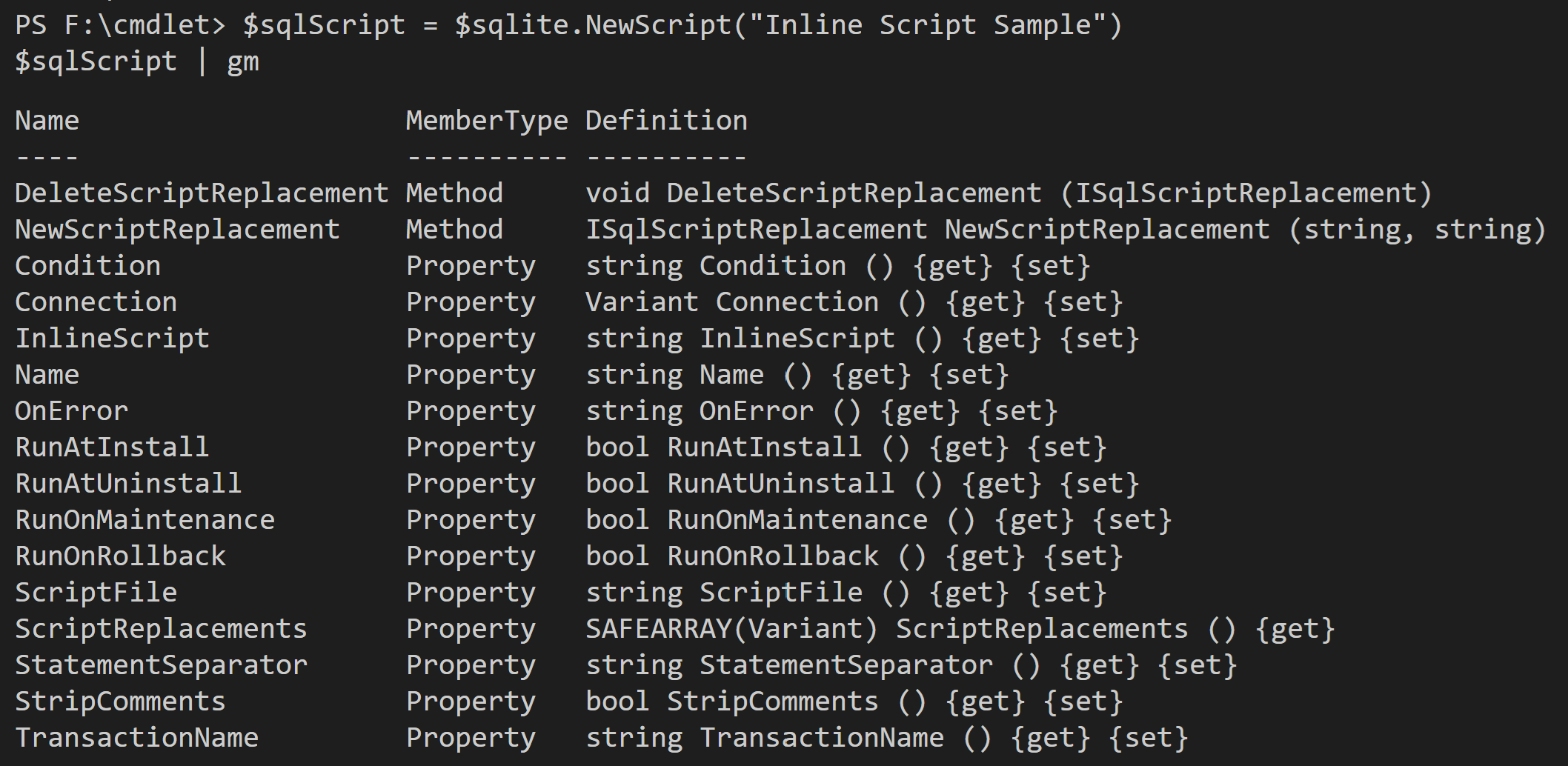
Methods
- NewScriptReplacement (string token, string value) → ISqlScriptReplacement Creates a script replacement entry that substitutes token with value before execution. Returns the created ISqlScriptReplacement.
- DeleteScriptReplacement (ISqlScriptReplacement replacement) Deletes the specified ISqlScriptReplacement from this script.
Properties
- Name (string) {get}{set} Gets or sets the display name of the script.
- Connection (Variant) {get}{set} Gets or sets the connection this script runs against (ISqlCustomConnection, ISqlPredefinedConnection, or ISqliteConnection).
- InlineScript (string) {get}{set} Gets or sets inline SQL text to execute.
- ScriptFile (string) {get}{set} Gets or sets the path to an external SQL script file (project-relative or absolute path).
- StatementSeparator (string) {get}{set} Gets or sets the separator used to split the script into statements (e.g., ; or GO).
- StripComments (bool) {get}{set} When true, removes SQL comments before execution.
- Condition (string) {get}{set} Gets or sets a Windows Installer condition. If the condition evaluates to false, the script is skipped.
- RunAtInstall (bool) {get}{set} When true, runs the script during installation.
- RunAtUninstall (bool) {get}{set} When true, runs the script during uninstall.
- RunOnMaintenance (bool) {get}{set} When true, runs the script during maintenance operations (modify/repair).
- RunOnRollback (bool) {get}{set} When true, runs the script during rollback.
- OnError (string) {get}{set} Gets or sets the error handling behavior (e.g., continue, fail, rollback).
- TransactionName (string) {get}{set} Gets or sets a transaction name to group multiple statements logically.
- ScriptReplacements (SAFEARRAY(Variant)) {get} Returns the collection of ISqlScriptReplacement entries defined for this script.
Sample commands
# ISqlScript usage
$advinst  = New-Object -ComObject "AdvancedInstaller"
$project  = $advinst.CreateProject($advinst.ProjectTypes.Enterprise)

# Create a SQLite connection (required before adding scripts)
$sqlite = $project.SqlDatabasesComponent.NewSQLiteConnection("SQLite Script Sample")
$sqlite.DatabaseFile = "[APPDIR]\data\app.db"
$sqlite.CreateDatabaseIfNotExists = $true
$sqlite.Use64bitOdbcResource = $true
$sqlite.LoginTimeout = 30
$sqlite.IsVerbose = $true
$sqlite.LogErrorsToFile = $true

# Define a script
$sqlScript = $sqlite.NewScript("Inline Script Sample")
$sqlScript.StatementSeparator = ";"
$sqlScript.RunAtUninstall = $true
$sqlScript.RunOnRollback = $true
$sqlScript.Condition = 'REMOVE="ALL"'   # run only at uninstall
$sqlScript.OnError = "rollback"

# Add inline SQL
$sqlScript.InlineScript = @"
CREATE TABLE demo (
  id   INTEGER PRIMARY KEY,
  name TEXT NOT NULL
);
INSERT INTO demo (name) VALUES ('Sample Name');
DROP TABLE demo;
"@

# Add a script replacement
$sqlScript.NewScriptReplacement("TABLE_NAME", "demo")

# List all scripts
$sqlite.Scripts

# Delete script (optional)
# $sqlite.DeleteScript($sqlScript)

# Remove the connection (optional cleanup)
# $project.SqlDatabasesComponent.DeleteDatabaseObject($sqlite)

$project.SaveAs("F:\cmdlet\output\SQL Script Sample.aip")